Antigravity Awesome Skills: 1,265 Playbooks That Turn AI Agents Into Specialists
A curated library of battle-tested SKILL.md files gives Claude Code, Cursor, Gemini CLI, and every other AI coding agent reusable playbooks for architecture, security, testing, infrastructure, and more. One install. Every tool.
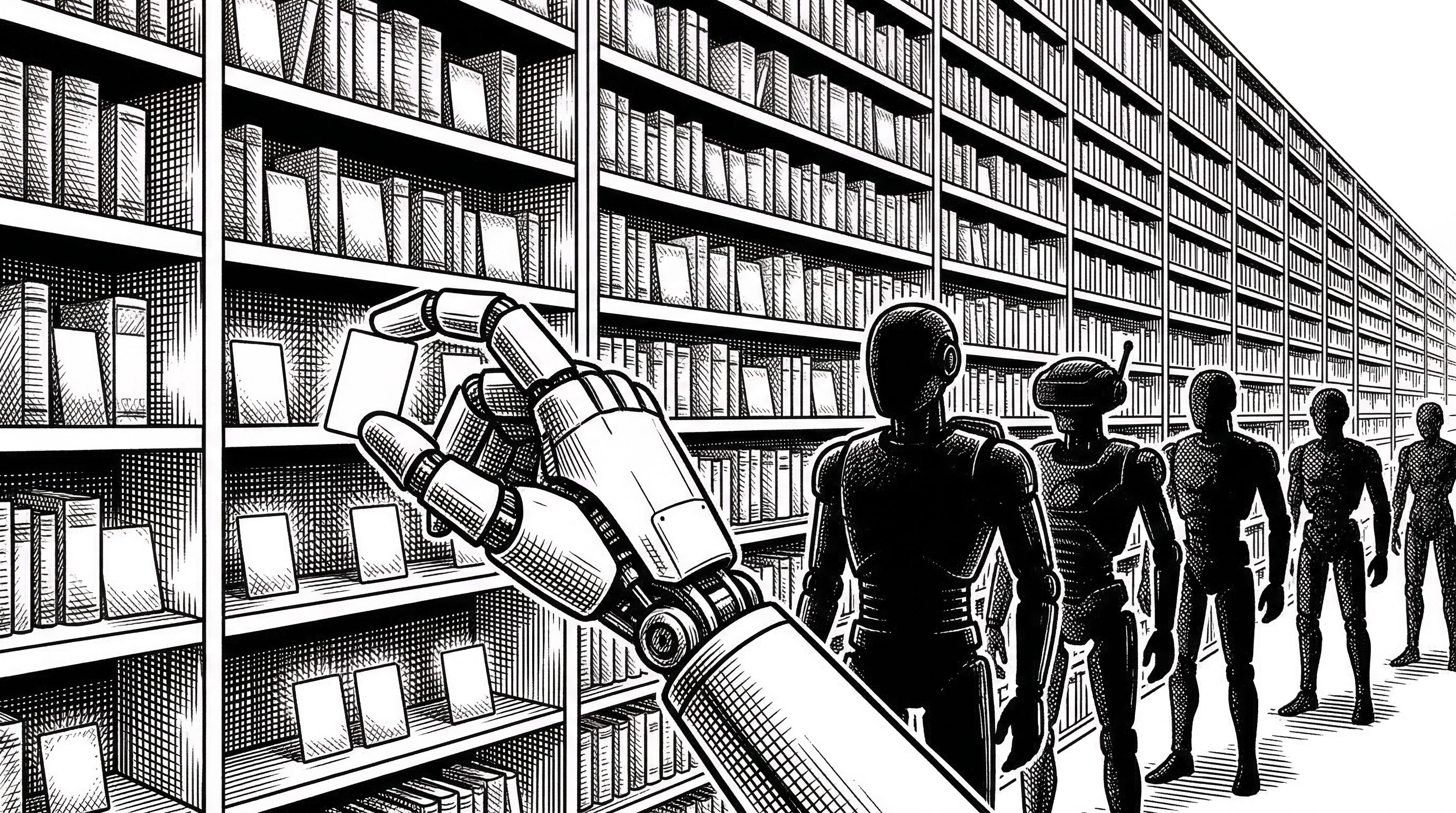
- Antigravity Awesome Skills is a universal library of 1,265+ agentic skills in markdown that work across Claude Code, Cursor, Gemini CLI, Codex CLI, Kiro, and more.
- Skills are small SKILL.md files that inject domain expertise, constraints, and output templates into an agent's context window, turning a generalist LLM into a specialist on demand.
- The project aggregates official skills from Anthropic, Vercel, OpenAI, Microsoft, Google, Supabase, and Apify alongside hundreds of community contributions into a single installable package.
- With 25,000+ stars and 4,300+ forks in just two months, it has become the de facto skill registry for the agentic coding ecosystem.
The Problem With Smart but Clueless Agents
AI coding agents are remarkably capable. They can read entire codebases, generate tests, refactor functions, and even deploy infrastructure. But they are generalists by default. Ask Claude Code to write a CloudFormation template and it will give you something reasonable. Ask it to follow your company's specific deployment protocol with proper tagging, drift detection, and nested stack patterns? That is where it falls apart.
The gap between "can write code" and "follows our exact playbook" is the gap that skills were invented to close. A skill is a markdown file that teaches an AI agent how to do a specific task perfectly, every time. Not a one-off prompt. A reusable, version-controlled, shareable playbook.
Antigravity Awesome Skills takes that concept and scales it to industrial proportions. The repository contains 1,265 skills across nine domains, each one a structured SKILL.md file with YAML frontmatter for metadata, trigger words for invocation, and detailed instructions the agent follows at execution time.
What Exactly Is a Skill?
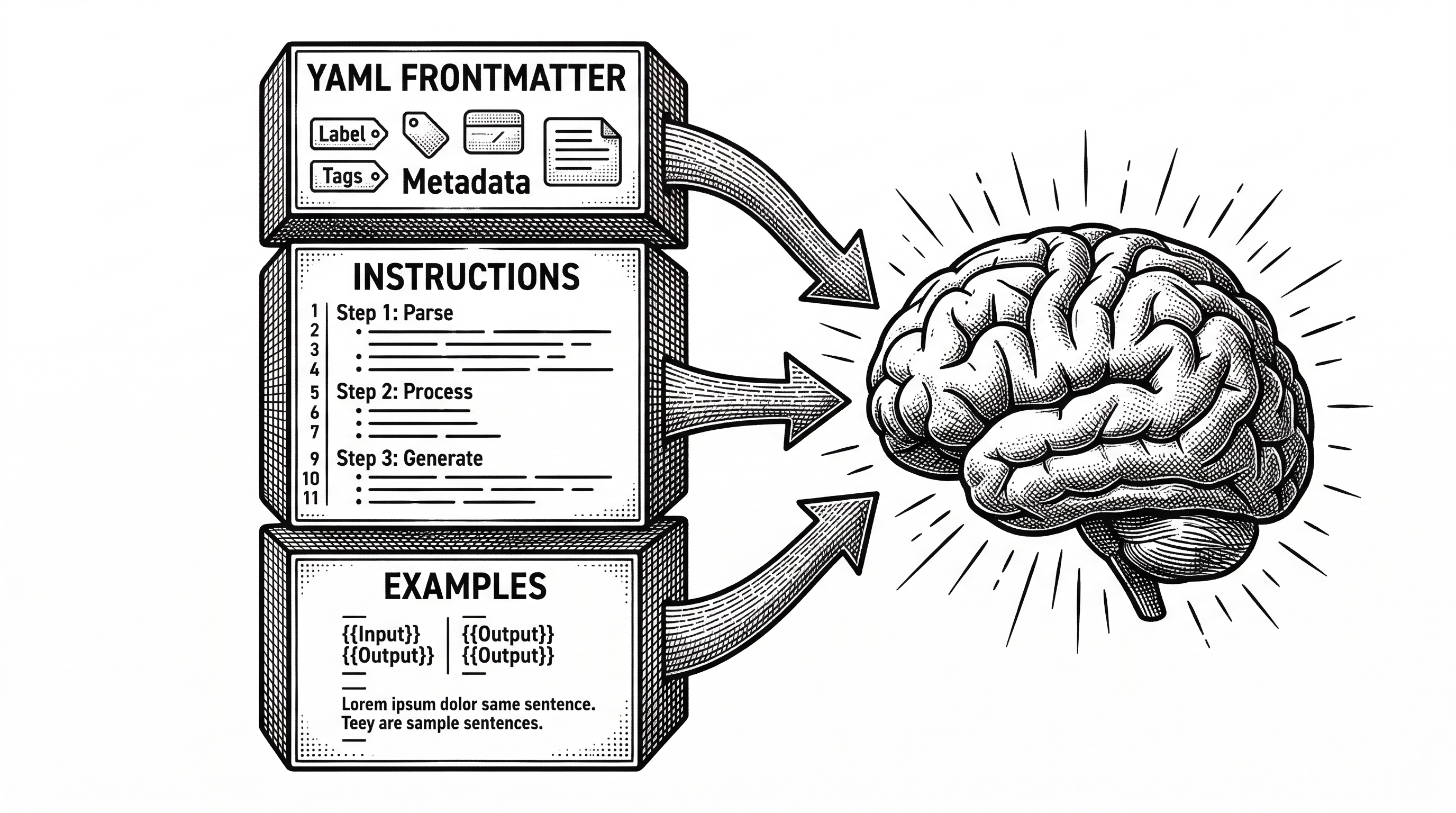
A skill is a structured markdown file that lives in your agent's skills directory. When you mention a skill by name, the agent loads that file into its context window. The file contains everything the agent needs: what role to assume, what constraints to follow, what output format to produce, and what examples to reference.
Think of it as a system prompt that lives in version control instead of buried in a settings dialog. It is portable. It is reviewable. It is shareable across teams.
# skills/brainstorming/SKILL.md
---
name: brainstorming
tags: [planning, ideation, mvp]
triggers: [brainstorming, brainstorm, ideate, plan]
---

## Role
You are a structured brainstorming facilitator.

## Instructions
1. Clarify the goal and constraints
2. Generate 5-10 divergent approaches
3. Evaluate each against feasibility, impact, effort
4. Converge on top 3 recommendations
5. Output a decision matrix

## Examples
...
That file turns your generalist agent into a structured brainstorming facilitator. It knows the steps. It knows the output format. It does not hallucinate its own process. The same pattern scales to security audits, TDD workflows, architecture decision records, and 1,260 other tasks.
Universal Compatibility Is the Killer Feature
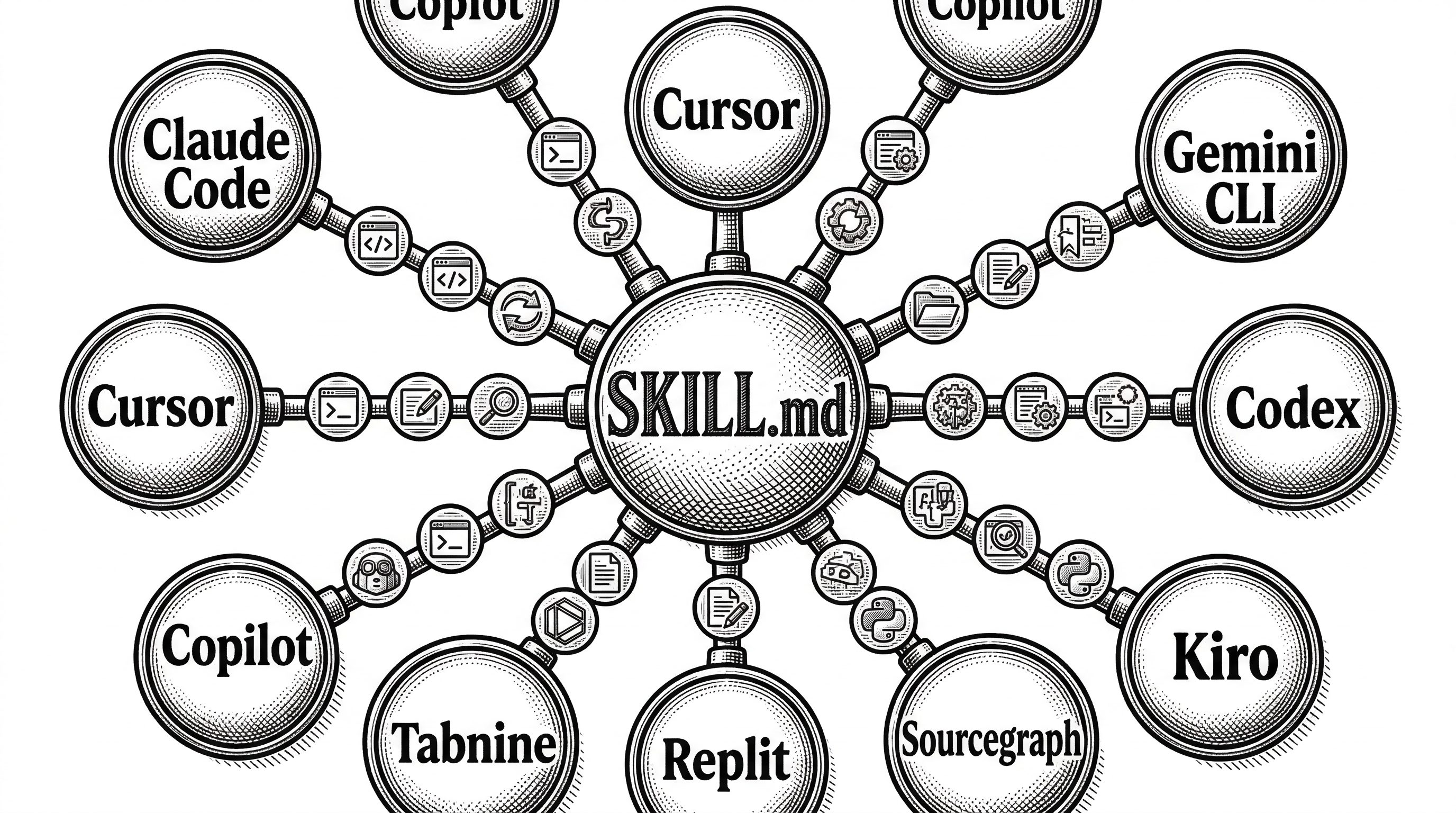
Most skill collections are built for one tool. Antigravity Awesome Skills works with ten. The same SKILL.md files install into Claude Code, Cursor, Gemini CLI, Codex CLI, Kiro, Antigravity IDE, OpenCode, AdaL CLI, and GitHub Copilot. Each tool has its own invocation syntax, but the underlying skill format is universal.
| Tool | Type | Invocation | Install Path |
|---|---|---|---|
| Claude Code | CLI | /skill-name help me... |
.claude/skills/ |
| Cursor | IDE | @skill-name |
.cursor/skills/ |
| Gemini CLI | CLI | Use skill-name... |
.gemini/skills/ |
| Codex CLI | CLI | Use skill-name... |
.codex/skills/ |
| Kiro | IDE/CLI | /skill-name or auto |
~/.kiro/skills/ |
| OpenCode | CLI | opencode run @skill-name |
.agents/skills/ |
The installer handles the routing. One npx command, one flag for your tool, and every skill is in the right directory.
# Install for Claude Code
npx antigravity-awesome-skills --claude

# Install for Cursor
npx antigravity-awesome-skills --cursor

# Install for Gemini CLI (default)
npx antigravity-awesome-skills
This universality matters because teams rarely standardize on one AI coding tool. The frontend developer on Cursor, the backend engineer on Claude Code, and the DevOps lead on Gemini CLI can all share the same skill library. Consistency across tools without maintaining three separate prompt collections.
The Nine Domains
The 1,265 skills are organized into nine categories that cover the full software development lifecycle. This is not a random assortment. The categories reflect a deliberate taxonomy.
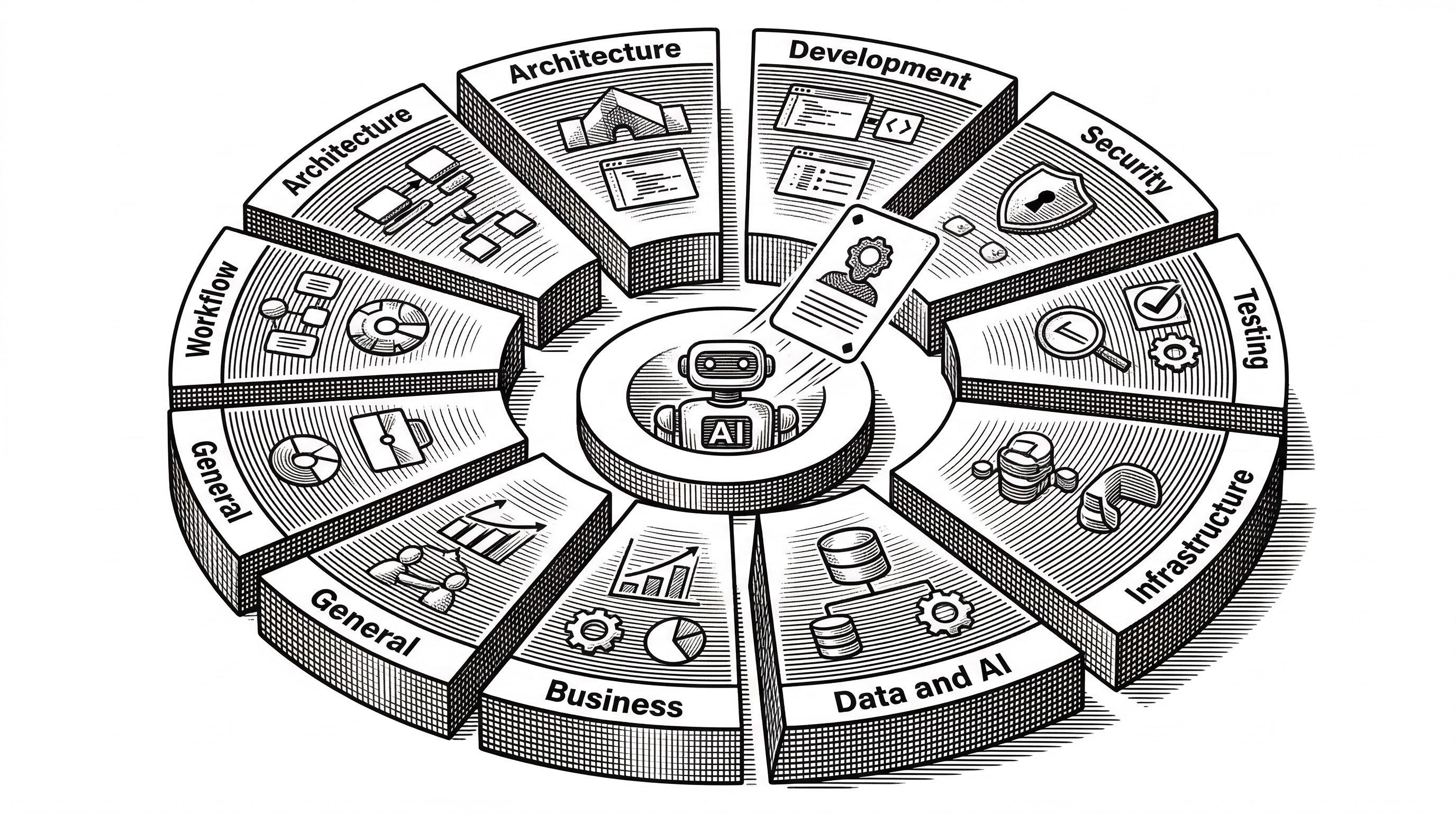
Architecture is the largest category at 82 skills. It covers system design, architecture decision records (ADRs), C4 diagrams at every level, domain-driven design patterns, event sourcing, and saga orchestration. The C4 skills alone form a complete documentation pipeline: c4-context, c4-container, c4-component, and c4-code work in sequence to generate layered architecture documentation from an existing codebase.
Development is the broadest, with over 400 skills spanning every major language and framework. There are dedicated skills for TypeScript, Python, Rust, Go, Kotlin, Elixir, Ruby, and Scala. Framework coverage includes React, Angular, Next.js, Svelte, Flutter, Electron, Godot, and Unreal Engine. Each skill encodes idiomatic patterns, not just syntax.
Security brings 80+ skills covering application security, penetration testing, vulnerability scanning, red team tactics, secrets management, SAST configuration, and compliance audits. The security-auditor and red-team-tactics skills are particularly popular for teams that want their agent to proactively flag risks during code review.
Testing includes 60+ skills for TDD workflows, test design patterns, Playwright browser automation, acceptance testing, and QA orchestration. The test-driven-development skill is a standout: it enforces the red-green-refactor cycle as a structured workflow rather than a suggestion.
Infrastructure covers Docker, Kubernetes, AWS, serverless, CI/CD pipelines, Terraform, and CloudFormation. Data & AI handles RAG pipelines, prompt engineering, agent orchestration, and LLM application patterns. Business offers growth, SEO, pricing, and copywriting skills for product-minded developers. General provides planning, documentation, and brainstorming tools. Workflow handles automation platforms like n8n, Inngest, and Trigger.dev.
Official Skills From the Source
What sets this collection apart from other awesome-lists is the inclusion of official skills from the companies that build the tools themselves. Anthropic contributed document manipulation skills for DOCX, PDF, PPTX, and XLSX files. Vercel Labs shipped React best practices and web design guidelines. OpenAI added Codex agent skills and a skill creator. Microsoft provided Azure cloud services, Bot Framework, and enterprise patterns across six languages. Google contributed Gemini API and SDK skills. Supabase shipped Postgres best practices. Apify contributed web scraping and automation skills.
"Skills are small markdown files that teach AI agents how to do specific tasks perfectly, every time. They are the missing layer between a smart generalist and a reliable specialist."
These official contributions lend credibility and ensure the foundational skills match the actual behavior of each platform. When Vercel writes a React skill, it reflects how Vercel's own infrastructure expects React to be used. When Anthropic writes a document skill, it reflects Claude's actual document processing capabilities.
Community contributions round out the collection. Major donors include rmyndharis (300+ enterprise skills), the obra/superpowers project (the original skill concept), zebbern's security suite (60+ security skills), VoltAgent's curated collection (61 high-quality skills from Sentry, Trail of Bits, Expo, and Hugging Face), and dozens of individual contributors.
Bundles and Workflows: From Browsing to Doing
A library of 1,265 skills is useless if you cannot find what you need. Antigravity solves this with two navigation layers: bundles and workflows.
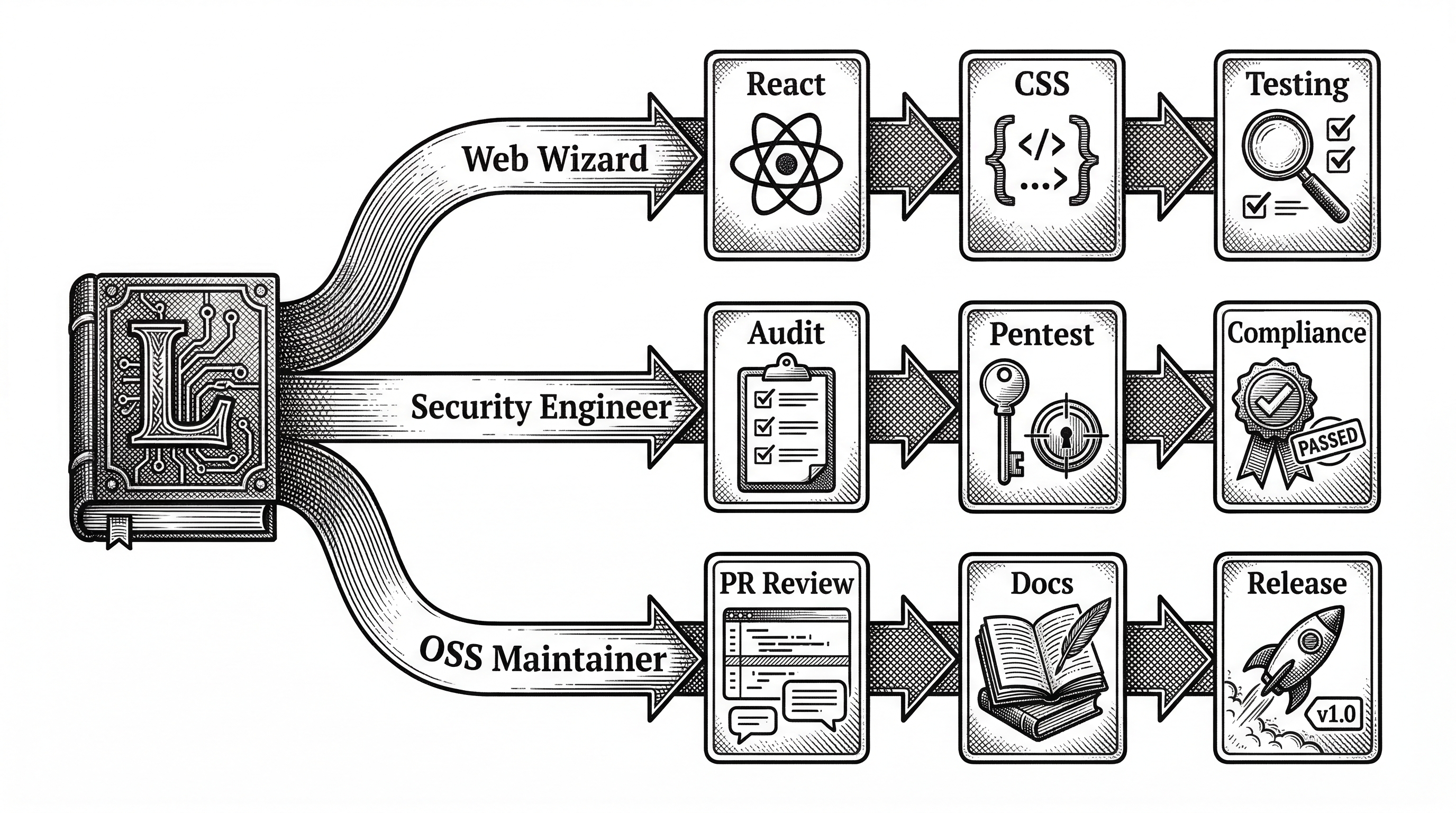
Bundles are curated groups of skills for a specific role. The "Web Wizard" bundle gives a frontend developer the right mix of React, CSS, accessibility, and testing skills. The "Security Engineer" bundle focuses on auditing, pentesting, and compliance. The "OSS Maintainer" bundle combines PR review, documentation, and release management skills. You do not install bundles separately. Every skill ships with the main install, and bundles simply tell you which ones to start with for your role.
Workflows go further. They define step-by-step execution sequences. The "Ship a SaaS MVP" workflow chains brainstorming, architecture, development, testing, and deployment skills into an ordered playbook. The "Security Audit for a Web App" workflow sequences reconnaissance, scanning, analysis, and reporting skills. Workflows turn a skill library into an actual methodology.
The Web App and Catalog
For browsing and discovery, the project ships a full web application. It provides search, category filters, full skill rendering, and copy helpers. You can run it locally with npm run app:dev or use the hosted version on GitHub Pages.
The catalog is also available as a static CATALOG.md file (useful for quick scanning) and a machine-readable skills_index.json that maps every skill name, alias, tag, and trigger word to its file path. The index enables fast lookup without scanning the filesystem, which matters when you have 1,265+ directories to search.
Security: Taking It Seriously
A skill library that includes security auditing tools, red team tactics, and infrastructure automation inevitably raises questions about the safety of the skills themselves. Antigravity addresses this with several hardening measures.
A repo-wide security scan checks every SKILL.md for high-risk command patterns: curl|bash, wget|sh, irm|iex, and command-line token examples. Deliberate exceptions go through an explicit allowlisting process. Pull requests that modify SKILL.md files trigger an automated skill-review GitHub Actions check, giving contributors and maintainers a structured review focused on skill quality and security.
The web app avoids raw HTML passthrough for markdown rendering. The npm installer includes path and symlink safety checks. The refresh API endpoint (used by the web app) has method, host, and optional token gating before any repo mutation is allowed.
None of this makes the collection "safe by default." These are instructions that can include powerful operations by design. But the CI pipeline catches the obvious risks, and the maintainer review process handles the rest.
The Competitive Landscape
Antigravity Awesome Skills did not invent the concept of agentic skills. Anthropic introduced the SKILL.md format. Jesse Vincent's obra/superpowers project pioneered the idea of reusable skill packs. VoltAgent's awesome-agent-skills curates 500+ skills from official dev teams. Various other awesome-lists collect Claude Code prompts.
What Antigravity does differently is scale and universality. At 1,265 skills, it is roughly 2.5 times larger than its nearest competitor. Its support for 10+ tools means it is not locked into any single ecosystem. And its aggregation of official skills from seven vendors creates a one-stop registry that would otherwise require installing and managing seven separate repositories.
| Project | Skills | Tools Supported | Official Vendor Skills | Stars |
|---|---|---|---|---|
| Antigravity Awesome Skills | 1,265+ | 10+ | Anthropic, Vercel, OpenAI, Microsoft, Google, Supabase, Apify | 25.4k |
| VoltAgent/awesome-agent-skills | 500+ | 6+ | Sentry, Trail of Bits, Expo, Hugging Face | ~5k |
| anthropics/skills | ~30 | Claude Code | Anthropic (official) | ~2k |
| obra/superpowers | ~50 | Claude Code | None (community) | ~3k |
The risk of aggregation is quality variance. Not every community-contributed skill meets the same bar. The maintainers mitigate this through validation scripts (npm run validate), the automated skill-review CI check, and a documented quality bar in the contributor guide. But with 1,265 entries, some skills are inevitably more polished than others.
How Teams Are Using It
The most common adoption pattern is incremental. A team installs the full library, picks 3-5 skills from a relevant bundle, and uses those daily for a week. As agents produce better output, the team gradually expands to more skills.
The "Essentials" bundle is the most popular starting point. It includes brainstorming, architecture, test-driven-development, doc-coauthoring, lint-and-validate, and create-pr. These six skills cover the core loop of planning, building, testing, documenting, and shipping.
More advanced teams combine bundles. A startup building a SaaS MVP might use Essentials + Full-Stack Developer + QA & Testing. A team hardening production infrastructure uses Security Developer + DevOps & Cloud + Observability & Monitoring. An open source maintainer working through a PR backlog uses Essentials + OSS Maintainer.
"This isn't just a list of scripts; it's a complete operating system for your AI agent."
The Activation Problem
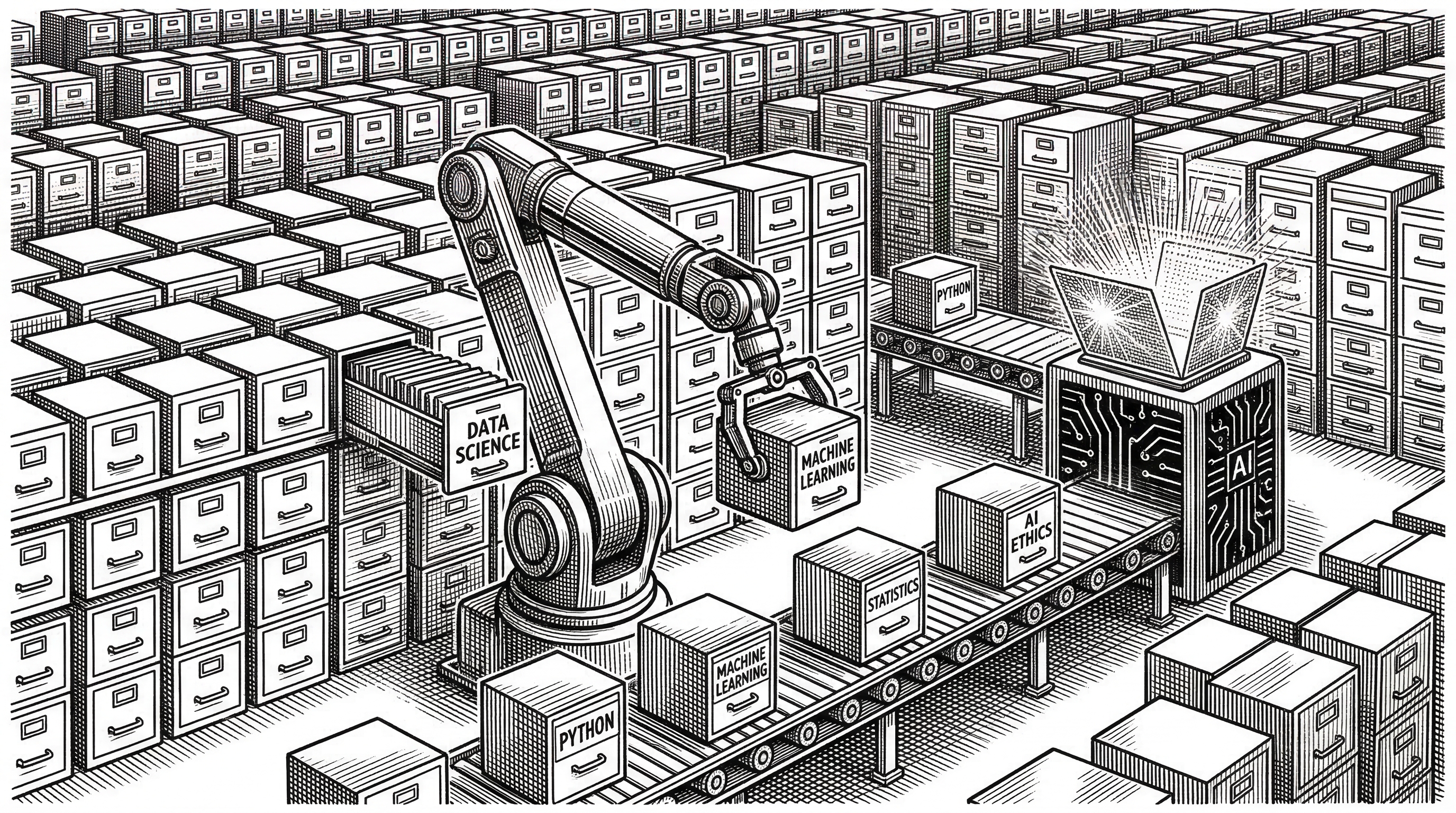
Loading 1,265 skills into an agent's context window would immediately blow past token limits. The project handles this through selective activation. On Claude Code, skills load on invocation: you mention /brainstorming and only that skill's SKILL.md enters context. On Gemini CLI and Antigravity IDE, skills can auto-load based on trigger word matching.
For environments where even the directory listing causes context pressure, the project ships activation scripts. A batch helper on Windows (scripts/activate-skills.bat) lets you move only your chosen bundles into the live skills directory and archive the rest. You specify bundles by name and the script handles the file operations.
# Activate only Web Wizard and API skills
.\scripts\activate-skills.bat "Web Wizard" "Integration & APIs"

# Clear and start fresh
.\scripts\activate-skills.bat --clear
This is a pragmatic solution to a real problem. Context windows are finite, and a library this large needs a gating mechanism. The activation scripts provide that without requiring changes to the underlying tools.
Release Velocity and Maintenance
The project ships frequently. Version 8.1.0 landed on March 17, 2026, just one day after 8.0.0. The changelog tells a story of active community maintenance: PR queues merged in batches, YAML frontmatter repaired across legacy skills, broken references fixed, contributor acknowledgements updated, and CI pipelines hardened.
Recent releases added skills for progressive web apps, tRPC full-stack development, AI-native CLI patterns, and AI-assisted end-to-end testing. The maintainers also shipped a dedicated skill-review GitHub Actions workflow so that every PR touching a SKILL.md file gets an automated quality check focused on structure and content, not just linting.
The project was created on January 14, 2026. In two months it reached 25,000+ stars, 4,300+ forks, and 1,265 skills. That growth rate puts it among the fastest-rising developer tooling repositories on GitHub in 2026.
The Plugin Marketplace Play
Claude Code's plugin marketplace now lists Antigravity Awesome Skills as a first-class plugin. This means users can install it with two commands instead of cloning a repository:
/plugin marketplace add sickn33/antigravity-awesome-skills
/plugin install antigravity-awesome-skills
This integration signals a maturing ecosystem. Skills are moving from "files you clone from GitHub" to "packages you install from a marketplace." The same trajectory that npm followed for JavaScript libraries, PyPI for Python packages, and crates.io for Rust crates is now playing out for AI agent skills.
What This Means for the Ecosystem
The rise of skill libraries like Antigravity points to a structural shift in how developers interact with AI agents. The bottleneck is no longer model capability. It is context engineering: giving the agent the right instructions, constraints, and examples to produce reliable output for a specific task.
Skills are the emerging answer to that bottleneck. They are the reusable, composable, shareable unit of agent capability. A well-written skill turns a conversation with an AI from an open-ended chat into a structured workflow with predictable outputs.
The universal SKILL.md format is becoming the package.json of AI agent capabilities. It defines what the agent can do, how to invoke it, and what to expect. As more tools adopt the format, the network effects compound. A skill written for Claude Code works on Cursor works on Gemini CLI works on Codex. The author writes once; the ecosystem benefits everywhere.
Rough Edges
The project is not without friction. The sheer volume of 1,265 skills can be overwhelming for newcomers. The bundles and workflows help, but the initial browsing experience still requires reading documentation. The web app mitigates this, but not everyone will run a local dev server just to browse a skill catalog.
Quality variance across community contributions is real. Some skills are deeply detailed with multiple examples and edge case handling. Others are thin wrappers around a role description and a few bullet points. The validation pipeline catches structural problems but cannot enforce depth of content.
Windows support has required ongoing patches. The changelog documents a truncation crash loop issue, a context overload recovery guide, and the removal of a legacy symlink workaround. The activation scripts are a pragmatic fix, but they add a manual step that Linux and macOS users do not need.
The npm packaging has also hit regression bugs. Version 7.9.2 was a patch release specifically to fix a broken npx installer that shipped without its runtime helper modules. These are the growing pains of a project moving fast with community contributions landing in batches.
Where It Goes From Here
The trajectory is clear: more skills, more tools, more workflows, and tighter marketplace integrations. The project already ships a plugin manifest for Claude Code's marketplace. As other tools build similar discovery mechanisms, expect Antigravity to be among the first listed.
The deeper question is whether skill libraries become a permanent layer in the developer stack or a transitional artifact that disappears as models improve. The answer likely depends on how specialized your work is. For generic coding tasks, better models may obviate the need for explicit skill files. For domain-specific workflows with precise output requirements, skills will remain essential because the constraints are organizational, not technical.
For now, Antigravity Awesome Skills is the largest, most universal, and most actively maintained skill library in the ecosystem. If you use an AI coding agent for anything beyond casual questions, it is worth the sixty seconds to install.
npx antigravity-awesome-skills