GitNexus Gives AI Agents a Nervous System for Code
A zero-server knowledge graph engine that indexes every dependency, call chain, and execution flow in your codebase, then hands it to Cursor, Claude Code, and friends through a single MCP server.
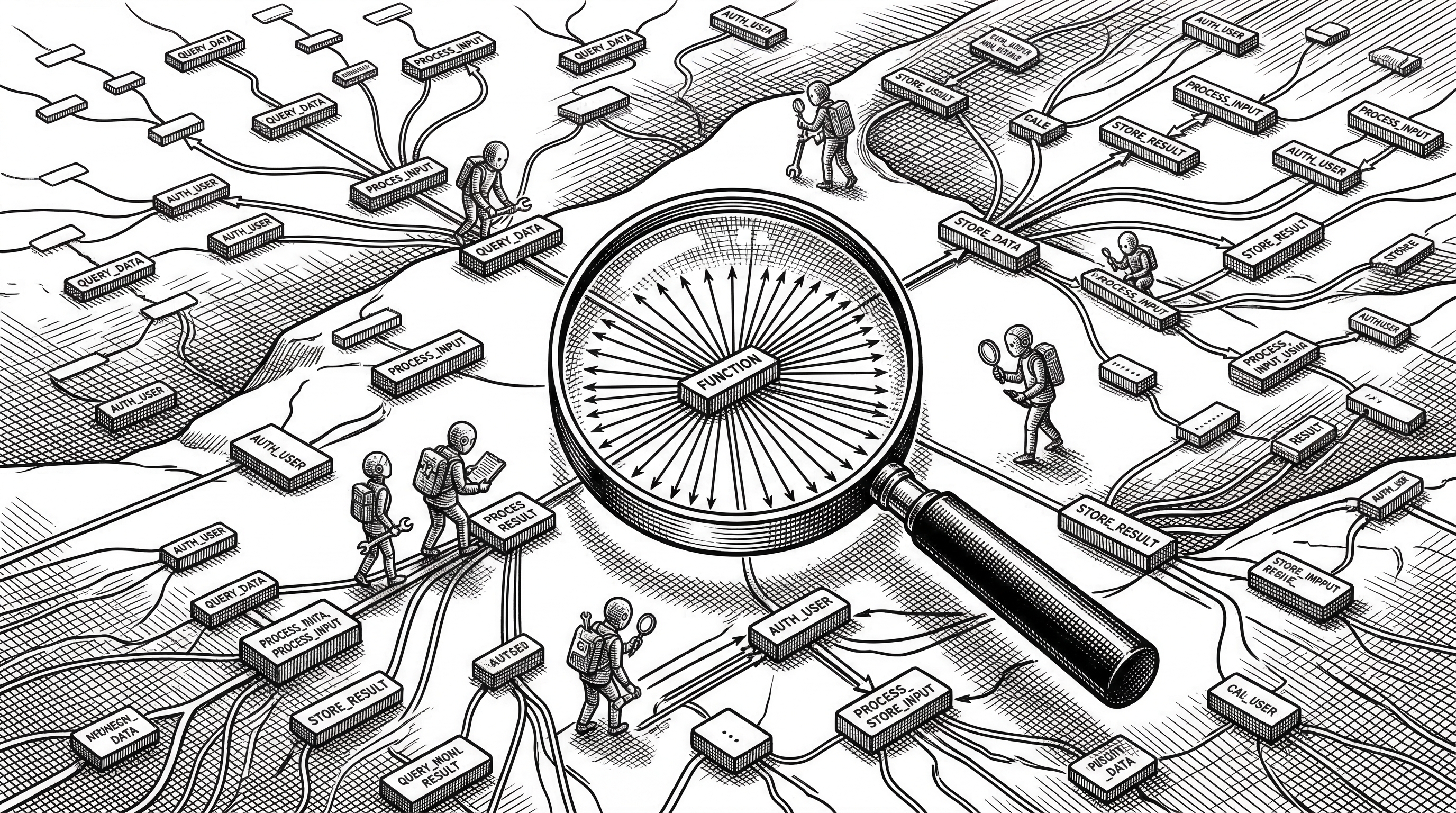
- GitNexus precomputes every dependency, call chain, cluster, and execution flow at index time so a single MCP tool call returns complete context instead of forcing the LLM to explore raw graph edges across multiple queries.
- The zero-server architecture runs entirely local (CLI) or entirely in-browser (Web UI), meaning your code never leaves your machine.
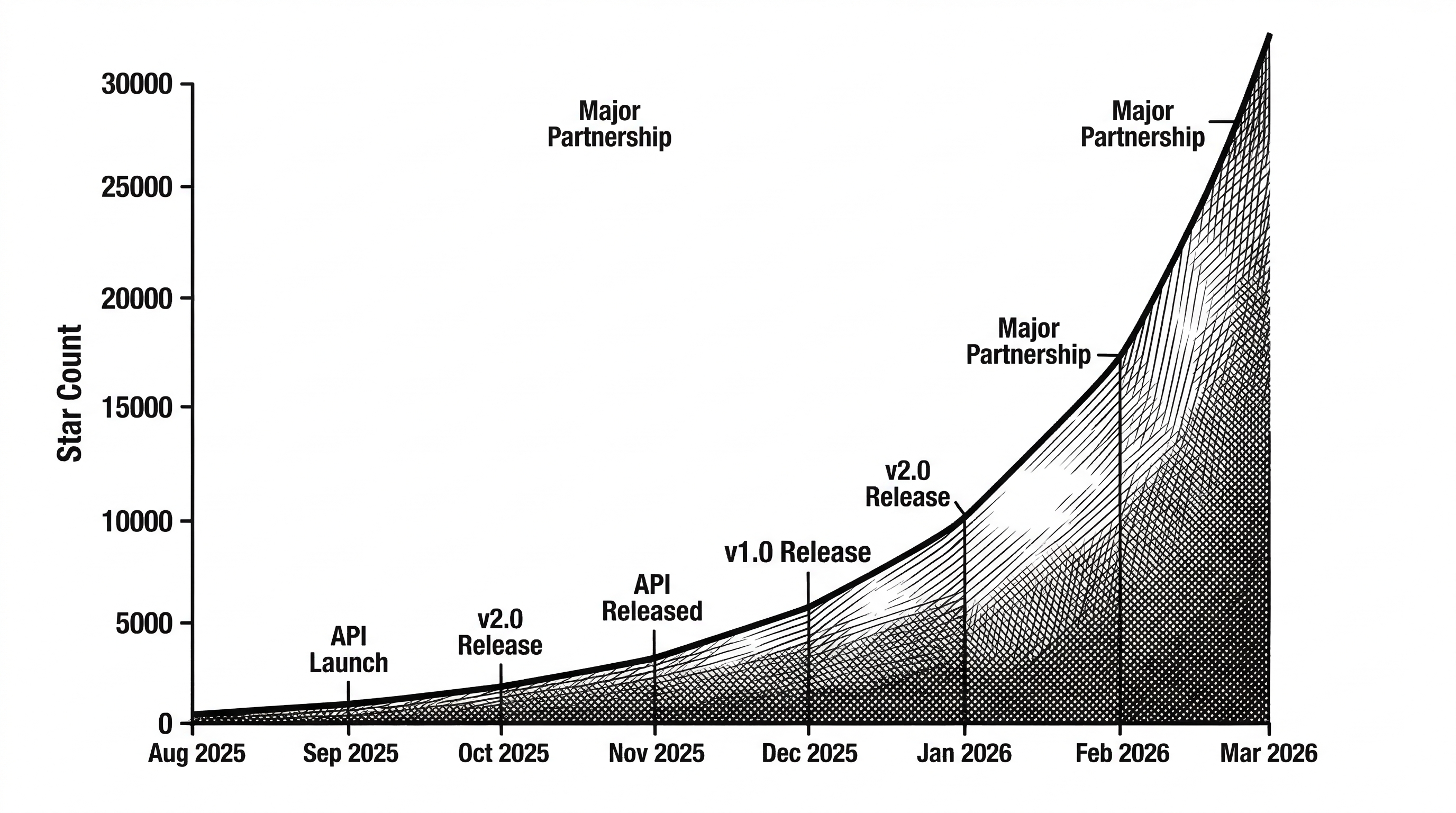
- With 16,900+ stars and nearly 2,000 forks in under eight months, GitNexus has become the fastest-growing open-source code intelligence tool in the MCP ecosystem.
- By doing the heavy graph lifting before the LLM ever sees a prompt, GitNexus makes smaller models perform like larger ones on code tasks.
The Blind Spot in Every AI Coding Tool
Cursor, Claude Code, Windsurf, Cline. These tools are genuinely impressive at writing code. They can generate entire features, refactor functions, and fix bugs in seconds. But they all share the same structural ignorance.
Your AI agent edits UserService.validate(). It looks correct in isolation. But 47 functions depend on that return type. Three execution flows route through it. Two clusters of business logic assume its current contract. The agent does not know any of this.
Breaking changes ship. Not because the model is dumb, but because it never had the map.
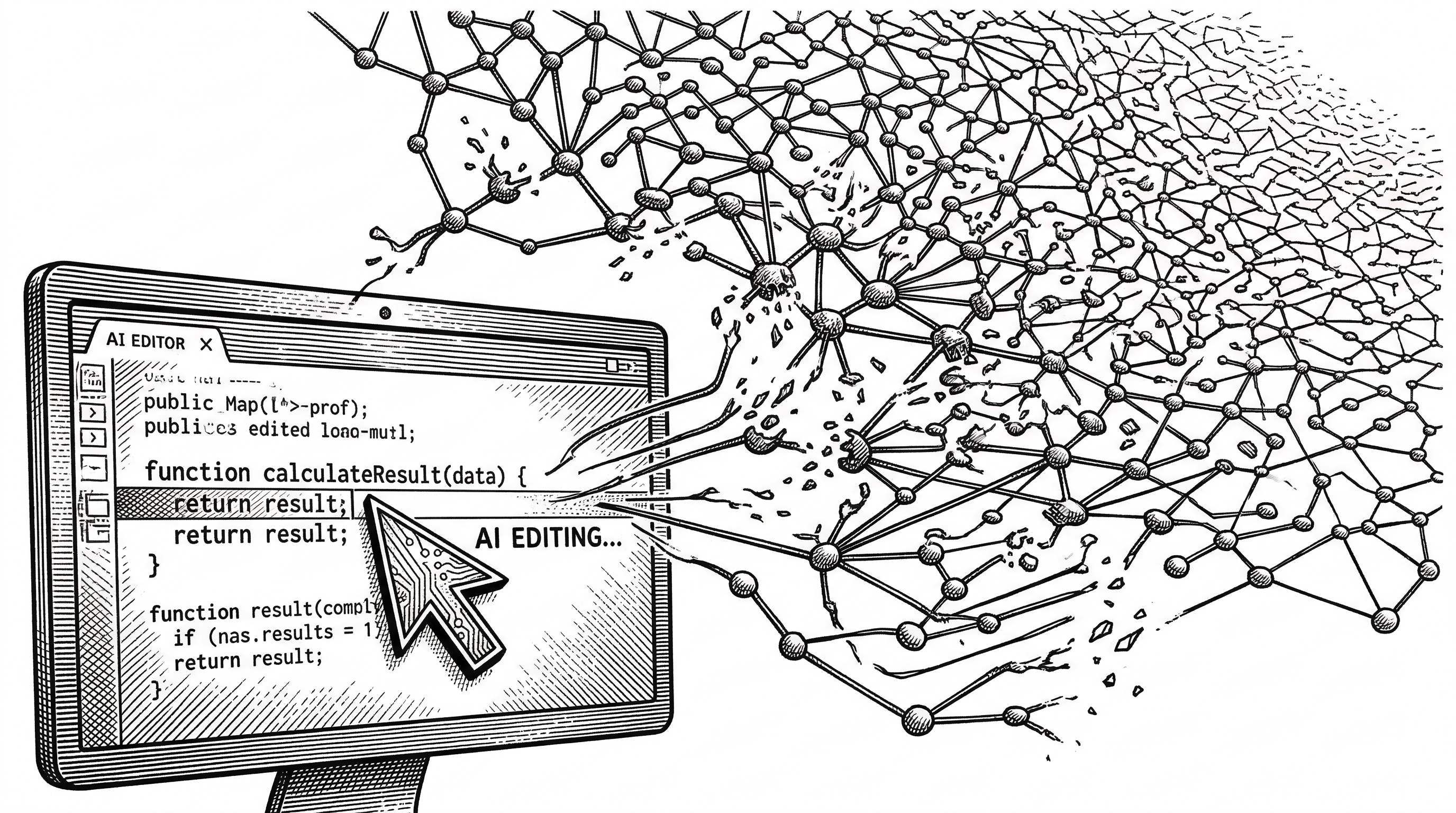
"Like DeepWiki, but deeper. DeepWiki helps you understand code. GitNexus lets you analyze it, because a knowledge graph tracks every relationship, not just descriptions."
What GitNexus Actually Does
GitNexus indexes any codebase into a property graph stored in LadybugDB. Every function, class, interface, import, call, inheritance chain, and execution flow becomes a queryable node or edge. Then it exposes that graph through MCP tools that any compatible AI agent can call.
The critical word is "precomputed." Traditional Graph RAG approaches dump raw graph edges into the LLM context and hope the model explores enough of them. GitNexus does the structural analysis at index time. Communities are detected. Execution flows are traced. Confidence scores are calculated. When the agent asks "what depends on this function?", it gets a complete, grouped, scored answer in one call.
The Indexing Pipeline
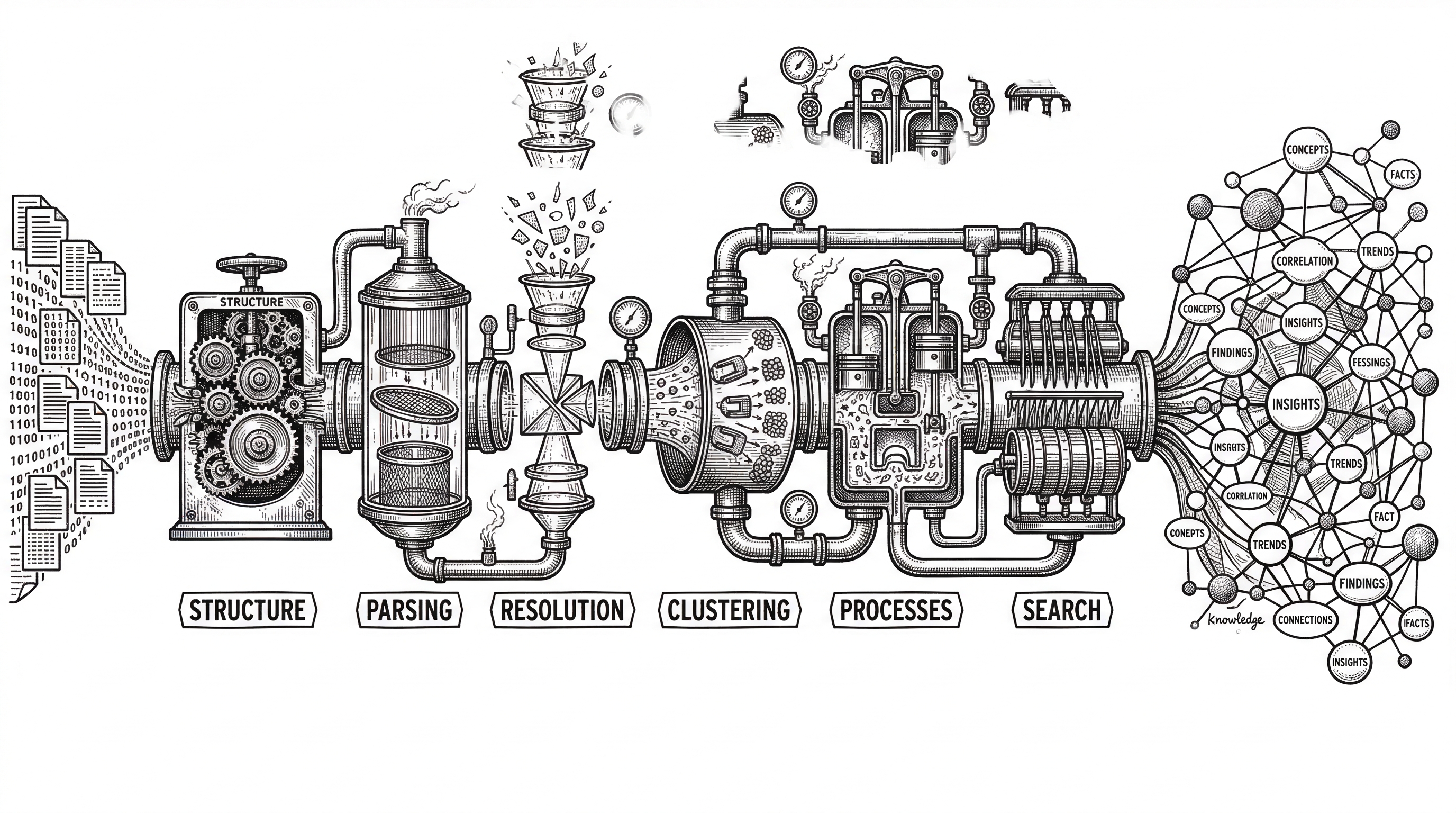
When you run npx gitnexus analyze from your repo root, a multi-phase pipeline kicks off. Understanding this pipeline is key to understanding why GitNexus works differently from simpler code search tools.
Phase 1: Structure. GitNexus walks the file tree and maps every folder and file relationship. It respects .gitignore and has sensible defaults for skipping binary files, node_modules, and other noise.
Phase 2: Parsing. Tree-sitter ASTs extract every function, class, method, and interface from 13 supported languages. This is not regex matching. It is real syntax-aware extraction that understands nested scopes, decorators, and language-specific constructs.
Phase 3: Resolution. This is where the magic happens. GitNexus resolves imports, function calls, class inheritance, constructor inference, and self/this receiver types across files with language-aware logic. A call from auth.ts to a method defined in user-service.ts gets properly linked in the graph with a confidence score.
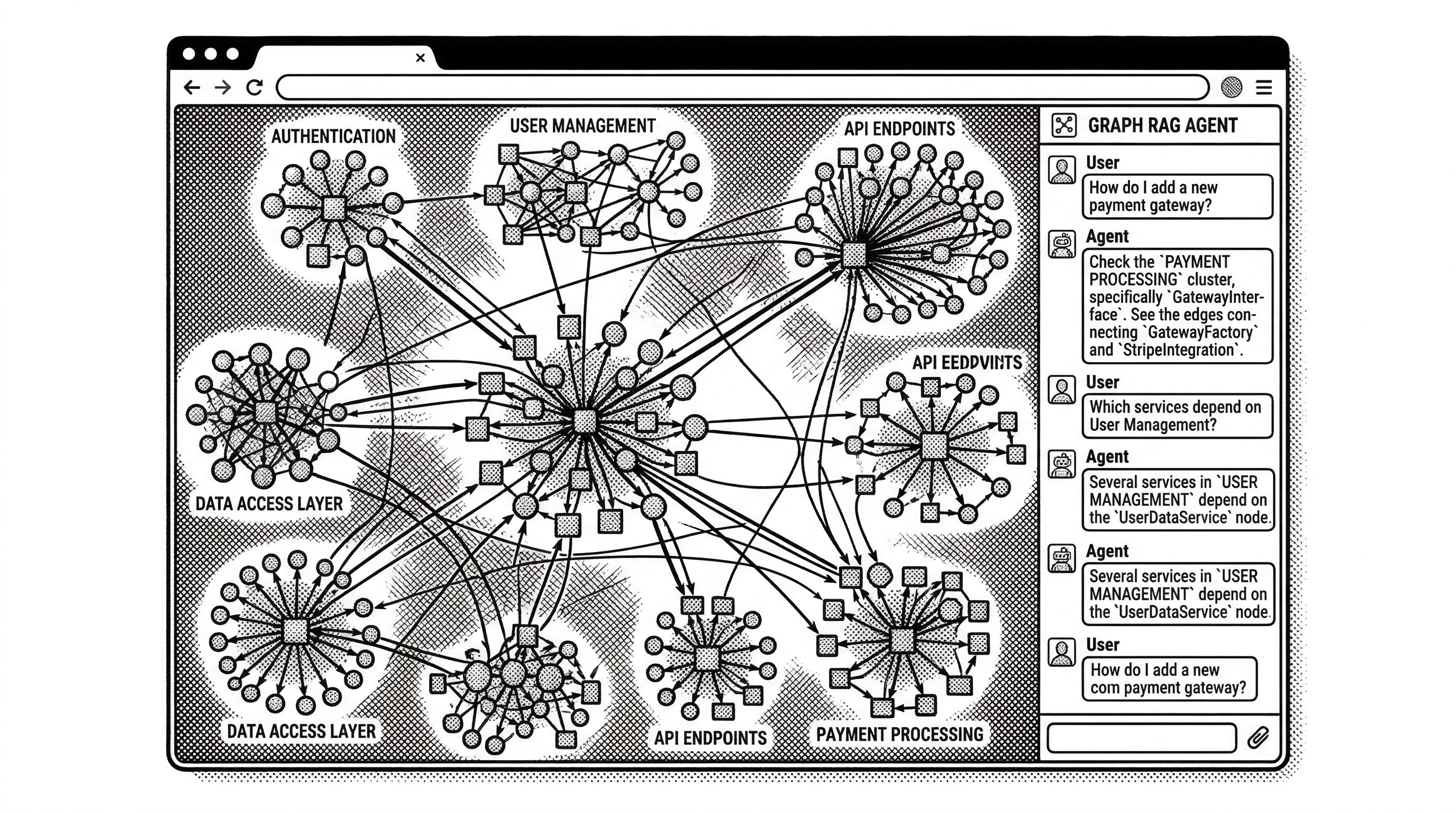
Phase 4: Clustering. Using Leiden community detection from Graphology, GitNexus groups related symbols into functional communities. Think "authentication cluster," "payment processing cluster," "API routing cluster." These emerge from the actual dependency structure, not from folder names.
Phase 5: Processes. Entry points are identified through heuristic scoring, then execution flows are traced through call chains. A login flow that starts at an HTTP handler, passes through middleware, hits validation, queries the database, and returns a token becomes a named process with ordered steps.
Phase 6: Search. Hybrid search indexes combine BM25 keyword matching with semantic embeddings and Reciprocal Rank Fusion. When an agent searches for "authentication middleware," it gets results grouped by the processes they participate in.
Two Ways to Use It
GitNexus offers two distinct modes. Choosing between them depends on whether you want deep integration with your daily coding workflow or a quick visual exploration session.
CLI + MCP: The Daily Driver
The CLI is the recommended path. Install globally with npm install -g gitnexus, run gitnexus analyze in your repo, and you get a persistent local index stored in .gitnexus/ inside the project. The index uses native Tree-sitter bindings and LadybugDB for speed.
Run gitnexus setup once and it auto-configures MCP for Cursor, Claude Code, Windsurf, OpenCode, and Codex. From that point forward, your AI agent has seven tools available: query, context, impact, detect_changes, rename, cypher, and list_repos.
Claude Code gets the deepest integration. Beyond MCP tools, it receives agent skills installed to .claude/skills/, plus PreToolUse hooks that enrich searches with graph context and PostToolUse hooks that auto-reindex after commits. The graph stays fresh without manual intervention.
# Index your repo (run from repo root)
npx gitnexus analyze

# One-time MCP setup for all your editors
gitnexus setup

# Or add to Claude Code manually
claude mcp add gitnexus -- npx -y gitnexus@latest mcp
Web UI: The Explorer
The web UI at gitnexus.vercel.app runs entirely in the browser. Drag and drop a GitHub repo URL or ZIP file, and it builds the same knowledge graph using Tree-sitter WASM and LadybugDB WASM. No server. No upload. Your code stays in the browser tab.
The visualization layer uses Sigma.js with WebGL rendering through Graphology. You get an interactive force-directed graph where clusters are visually grouped, edges show call relationships, and clicking a node reveals its full context. A built-in LangChain ReAct agent lets you chat with the graph.
Browser memory limits the web UI to roughly 5,000 files. For larger codebases, there is bridge mode: run gitnexus serve locally and the web UI auto-detects the server, browsing all your CLI-indexed repos without re-uploading.
| Aspect | CLI + MCP | Web UI |
|---|---|---|
| Best for | Daily development with AI agents | Quick exploration and demos |
| Scale | Any repo size | ~5k files (browser) or unlimited (bridge mode) |
| Parsing | Tree-sitter native (fast) | Tree-sitter WASM |
| Database | LadybugDB native (persistent) | LadybugDB WASM (session only) |
| Privacy | Everything local, no network | Everything in-browser, no server |
| Install | npm install -g gitnexus |
None |
The Seven MCP Tools
The MCP server exposes seven tools. Each one is designed to return complete, structured answers rather than raw data that the LLM would need to interpret across multiple round trips.
query performs process-grouped hybrid search. When you search for "authentication middleware," results come back organized by the execution flows they participate in, with priority scores and step counts. The agent immediately knows not just where code lives, but how it fits into the larger system.
context provides a 360-degree view of any symbol. Incoming calls, outgoing calls, imports, exports, the processes it participates in, and which step it occupies in each flow. One call, full picture.
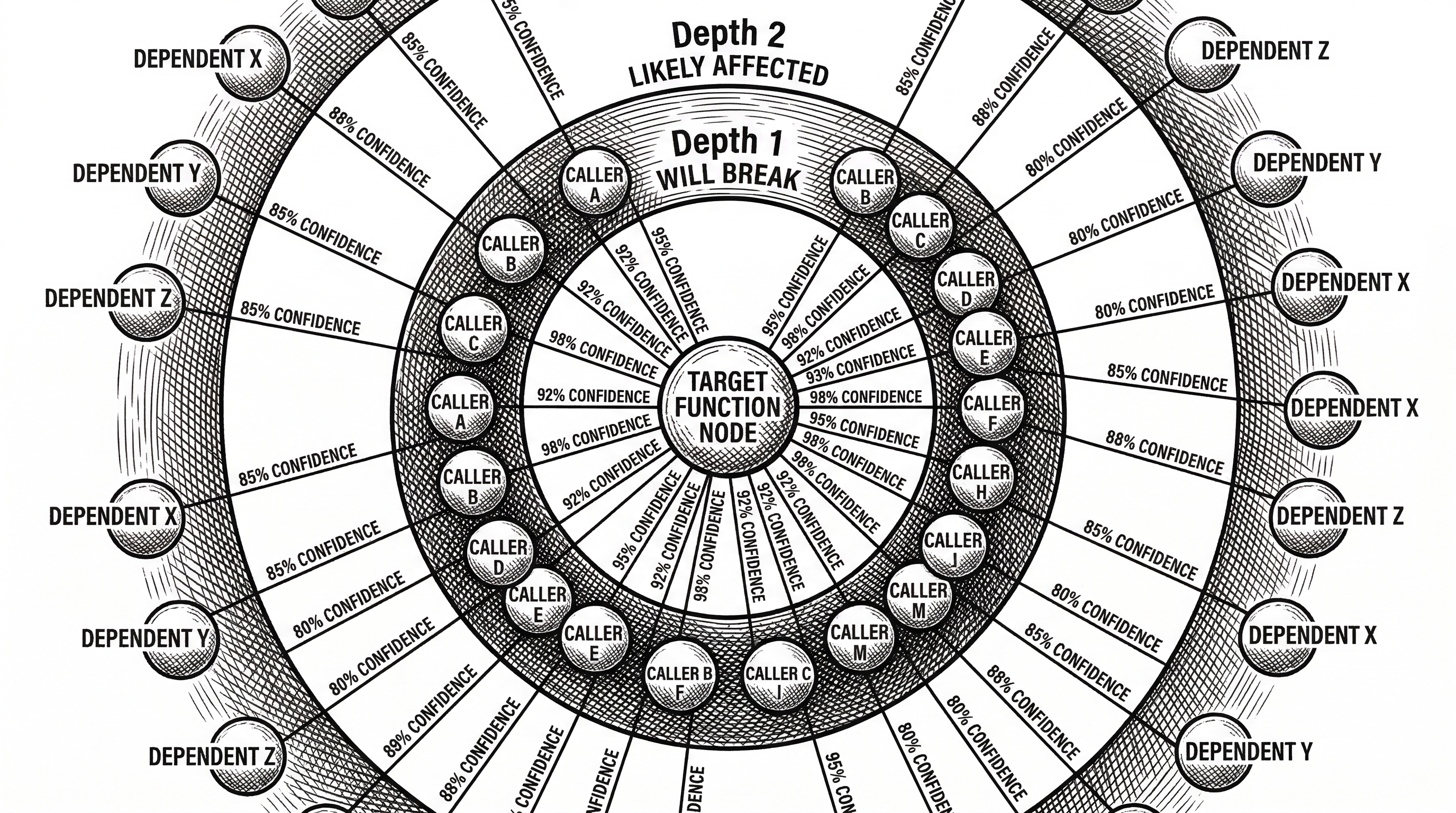
impact is the blast-radius analyzer. Given a target symbol and direction (upstream or downstream), it returns depth-grouped results with confidence scores. "Depth 1: WILL BREAK" versus "Depth 2: LIKELY AFFECTED." This is what prevents the blind edit problem.
detect_changes maps git diffs to affected processes. Before a commit, the agent can see exactly which execution flows are touched, how many symbols changed, and the overall risk level. Pre-commit intelligence rather than post-merge surprises.
rename coordinates multi-file renames using both graph edges and text search. It separates high-confidence graph-based edits from lower-confidence text matches, flagging the latter for human review. A dry-run mode previews all changes before applying.
cypher opens the full power of the graph database. Raw Cypher queries let agents (or humans) ask arbitrarily complex structural questions. "Find all functions in the authentication cluster that are called by functions outside that cluster with confidence above 0.8."
list_repos discovers all indexed repositories. When multiple repos are indexed, the agent uses this to determine which one to query.
Precomputed Intelligence vs. Traditional Graph RAG
This is the idea that separates GitNexus from other graph-based code tools. The distinction matters enough to spell out.
In a traditional Graph RAG setup, the LLM receives raw graph data and must figure out the structure itself. "What depends on UserService?" triggers a chain: Query 1 finds callers. Query 2 maps them to files. Query 3 filters test files. Query 4 assesses risk. Each query costs tokens and latency. Worse, the LLM might stop exploring too early and miss critical dependencies.
GitNexus flips this. At index time, it has already clustered symbols into communities, traced execution flows, and scored confidence on every edge. When the agent calls impact({target: "UserService", direction: "upstream"}), it gets back "8 callers, 3 clusters, all 90%+ confidence" in a single response. No exploration needed. No missed edges.
This has a second-order effect that the README calls "model democratization." Because the tools do the structural heavy lifting, smaller and cheaper LLMs can produce reliable results on code tasks. The model does not need to be smart enough to navigate a graph. It just needs to be smart enough to call the right tool and interpret a well-structured response.
The Multi-Repo Architecture
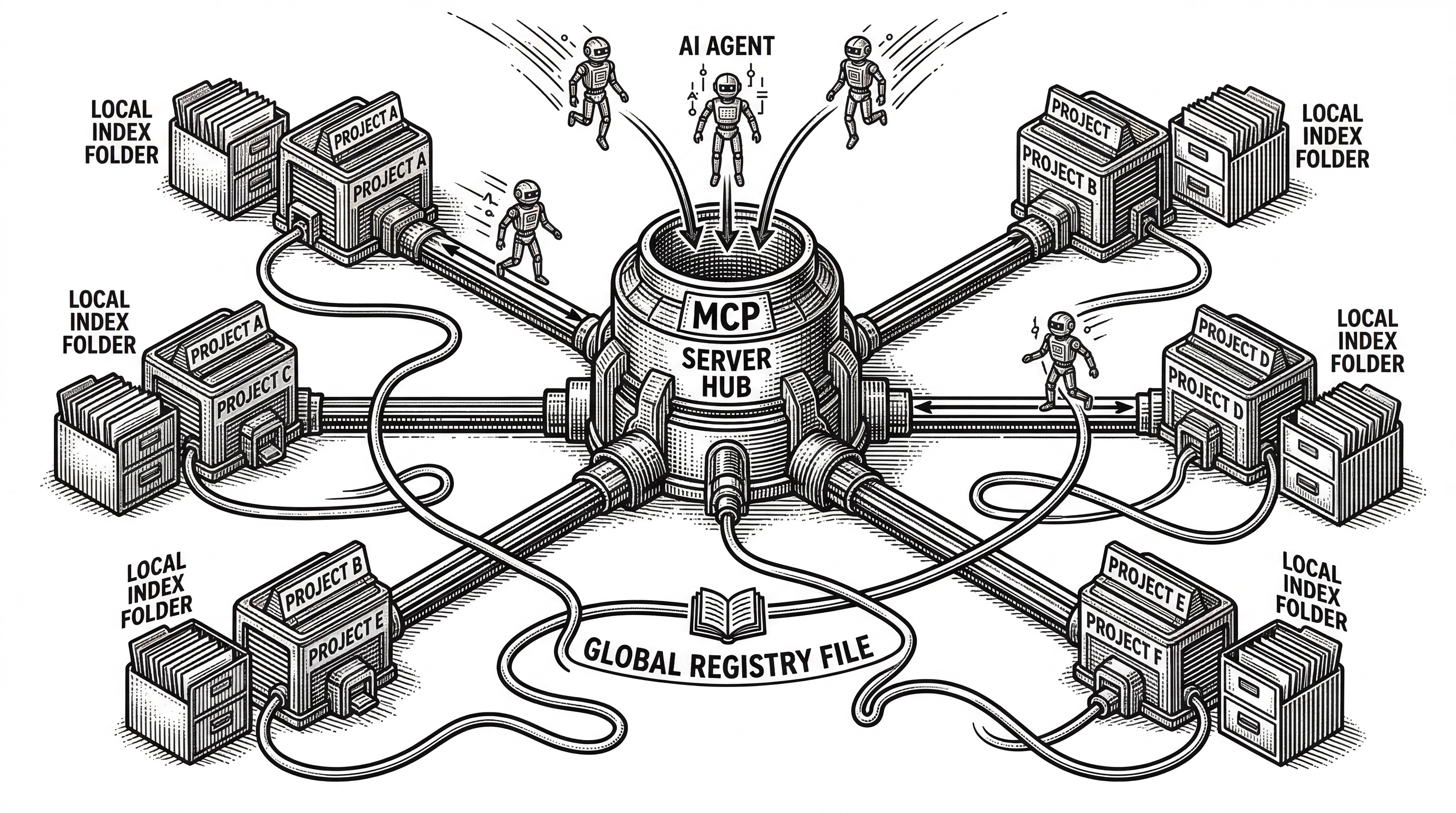
A subtle but important design choice: GitNexus uses a global registry at ~/.gitnexus/registry.json. Each gitnexus analyze stores the index inside the project at .gitnexus/ (gitignored and portable) and registers a pointer in the global registry.
One MCP server serves all indexed repos. No per-project MCP configuration needed. LadybugDB connections are lazily opened on first query and evicted after five minutes of inactivity, with a maximum of five concurrent connections. If only one repo is indexed, the repo parameter becomes optional on all tools.
This means you can index ten repos, start one MCP server, and your AI agent can jump between them seamlessly. The architecture avoids the common pain of "which project is my MCP pointing at right now?"
Language Support: Wide but Uneven
GitNexus supports 13 languages through Tree-sitter parsers: TypeScript, JavaScript, Python, Java, Kotlin, C#, Go, Rust, PHP, Ruby, Swift, C, and C++. But support depth varies significantly.
TypeScript and Python get the full treatment: imports, named bindings, exports, heritage, type annotations, constructor inference, config file parsing (tsconfig, pyproject), framework detection, and entry point scoring. These are clearly the languages that received the most attention during development.
Languages like Swift and C sit at the other end. They get export detection, type annotations, constructor inference, and entry points, but lack import resolution and named binding tracking. For these languages, GitNexus still builds a useful graph, but cross-file dependency tracking is more limited.
The practical implication: if your codebase is TypeScript, Python, Java, Go, or Rust, you get the richest experience. If it is a Swift or C project, expect the graph to be shallower. The README is refreshingly transparent about these coverage gaps.
The Competitive Landscape
GitNexus enters a space with several approaches to the same underlying problem.
Sourcegraph provides enterprise code search and navigation with its own MCP server. It excels at searching across massive codebases and organizations. But Sourcegraph is a hosted service (or complex self-hosted deployment). GitNexus runs entirely local with zero infrastructure.
DeepWiki generates natural language documentation from repositories. It helps humans understand code through prose. GitNexus builds a queryable graph for machines to consume. The README positions these as complementary: "DeepWiki helps you understand code. GitNexus lets you analyze it."
CodeGraphContext is another open-source MCP server that indexes code into a graph database. It shares the basic concept with GitNexus but lacks the precomputed clustering, process detection, and confidence scoring that define GitNexus's approach. The difference is in what happens at index time versus query time.
Greptile / Code Pathfinder offers semantic code analysis through MCP with natural language queries. It focuses on Python codebases and call graph generation. GitNexus covers 13 languages and goes deeper into structural analysis.
The differentiator keeps coming back to the same thing: precomputed relational intelligence. Other tools give the LLM data and let it figure out the structure. GitNexus gives the LLM answers.
| Tool | Approach | Deployment | Graph Depth |
|---|---|---|---|
| GitNexus | Precomputed knowledge graph + MCP | Local CLI or browser | Clusters, processes, confidence scoring |
| Sourcegraph | Enterprise code search + MCP | Cloud or self-hosted | Cross-repo search, no precomputed flows |
| DeepWiki | LLM-generated documentation | Cloud service | Prose descriptions, not queryable graph |
| CodeGraphContext | Graph database + MCP | Local CLI | Basic graph, no clustering or processes |
| Code Pathfinder | Semantic code analysis + MCP | Local CLI | Call graphs, Python focused |
The Tech Stack
Under the hood, GitNexus is a TypeScript project (3.1 million lines in the repo, though much of that is generated or vendored). The CLI runs on Node.js 18+ with native Tree-sitter bindings for fast parsing and native LadybugDB for the graph database.
The web UI mirrors the same pipeline but swaps every native dependency for its WASM equivalent: Tree-sitter WASM for parsing, LadybugDB WASM for storage, and transformers.js with WebGPU/WASM for embeddings. React 18, Vite, and Tailwind v4 handle the frontend. Sigma.js with Graphology powers the WebGL graph visualization.
Concurrency is handled through Worker threads on the CLI side and Web Workers with Comlink on the browser side. The MCP server uses the official @modelcontextprotocol/sdk and communicates over stdio.
The database choice is worth noting. LadybugDB (formerly KuzuDB) is an embedded graph database with native vector support. This lets GitNexus store structural relationships and semantic embeddings in the same database, enabling hybrid queries without managing separate stores.
What the Growth Numbers Tell Us
GitNexus was created on August 2, 2025. It hit GitHub Trending in February 2026. As of this writing, it sits at 16,900 stars with 1,925 forks. That is exceptional traction for a developer tool that is not backed by a major company.
The growth pattern suggests that developers are hitting exactly the problem GitNexus solves. AI coding tools are everywhere now. The more people use them, the more they discover that structural ignorance is the bottleneck. GitNexus arrived at the right moment with the right abstraction.
The fork count is particularly telling. Nearly 2,000 forks means people are not just starring the repo. They are cloning it, experimenting, and building on top of it. The PolyForm Noncommercial license limits commercial use, which may explain why some forks exist: teams evaluating whether to adopt it or build their own version of the concept.
Limitations and Open Questions
GitNexus is not incremental yet. Every gitnexus analyze re-indexes the entire repository. For large codebases, this means waiting several minutes for the index to rebuild after changes. Incremental indexing is on the roadmap but not shipped.
The PolyForm Noncommercial license is a meaningful constraint. Companies that want to use GitNexus in production need to navigate this. It is not MIT, not Apache, not even AGPL. Commercial use requires a separate arrangement. This is a deliberate choice, but it limits adoption in exactly the environment where the tool would be most valuable.
Community detection uses heuristic labels. The clustering is algorithmic (Leiden), but naming those clusters with meaningful labels like "Authentication" or "Payment Processing" requires an LLM call that is currently a roadmap item. Until then, clusters have auto-generated names that may not be immediately meaningful.
Browser memory caps the web UI at roughly 5,000 files without bridge mode. This covers many projects but rules out monorepos and large codebases unless you run the local server alongside it.
What Is on the Roadmap
Three items stand out. LLM cluster enrichment would give automatically detected communities human-readable names. AST decorator detection would parse framework annotations like @Controller and @Get, making framework-specific entry points more discoverable. And incremental indexing would solve the full re-index bottleneck.
The recently shipped features tell you where the project's momentum is: constructor-inferred type resolution, wiki generation, multi-file rename, git-diff impact analysis, Claude Code hooks, and multi-repo MCP. The pace is fast. The scope is expanding.
Who Should Care
If you use AI coding tools daily and work on codebases larger than a few dozen files, GitNexus addresses a real pain point. The "edit in isolation, break dependencies" problem is one of the most common frustrations with AI-assisted development.
If you maintain a large TypeScript, Python, or Go codebase, the deep language support makes the graph rich enough to be genuinely useful. If your stack is Swift or C, the thinner support may not justify the setup.
If you are evaluating code intelligence for a team, the zero-server architecture and local-only processing simplify the security conversation. There is no cloud service to vet, no data leaving the machine, no vendor to trust with your source code.
And if you are building AI agent tooling, the precomputed intelligence pattern is worth studying regardless of whether you adopt GitNexus itself. The insight that tools should do the structural work before the LLM sees a prompt has broad applicability beyond code graphs.