Impeccable Gives AI the Design Vocabulary It Never Had
Paul Bakaus's open-source skill system fights AI slop with 7 domain references, 20 steering commands, and curated anti-patterns that work across Cursor, Claude Code, Gemini CLI, and five more tools.

- Impeccable is not a component library or design system; it is a vocabulary layer that teaches AI coding tools real design expertise through the open Agent Skills standard.
- Seven domain-specific reference files covering typography, color, spatial design, motion, interaction, responsive design, and UX writing give LLMs the deep knowledge that generic training data lacks.
- Twenty steering commands let developers audit, polish, critique, animate, and transform UI without needing design vocabulary of their own.
- A single source-to-provider build pipeline ships identical design knowledge to 8 different AI tools, from Cursor to Claude Code to Gemini CLI, using provider-specific transformers.
The AI Slop Problem
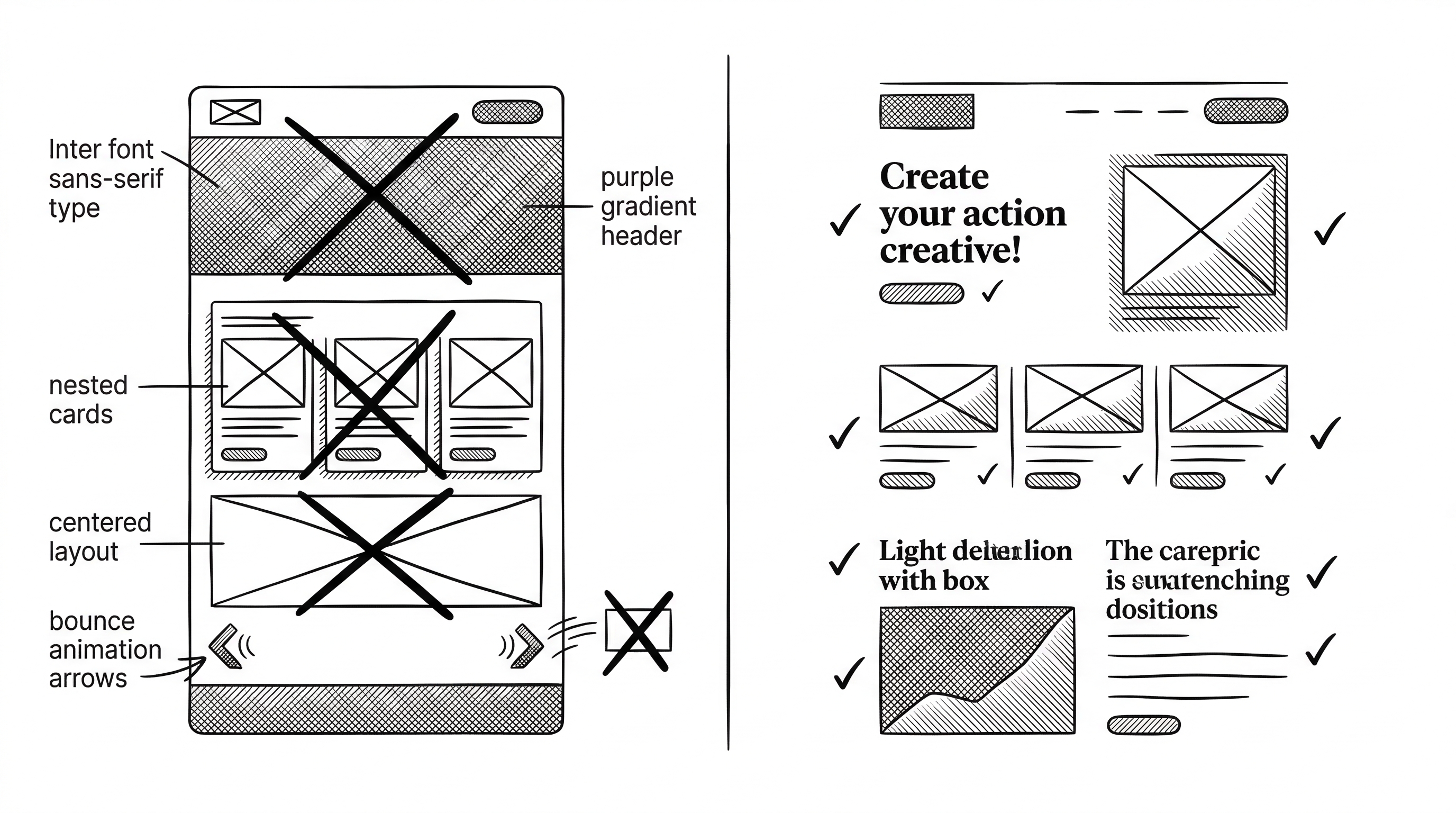
Every LLM learned to write frontend code from the same pool of generic templates. The result is predictable. Inter font. Purple-to-blue gradients. Cards nested inside cards. Gray text on colored backgrounds. Bounce animations. Dark mode with neon accents. Show any of these to a designer and they will immediately say: "AI made that."
Paul Bakaus calls this convergence "AI slop." The term captures something specific. It is not that AI-generated interfaces are ugly. They are competent. But they are all competent in exactly the same way. The fingerprints are unmistakable.
The root cause is straightforward. LLMs have strong opinions about design because their training data was full of the same popular CSS frameworks, the same template sites, the same overused patterns. Without explicit guidance pushing them away from those defaults, they will reproduce them faithfully every time.
"If you showed this interface to someone and said 'AI made this,' would they believe you immediately? If yes, that's the problem."
Who Built This
Paul Bakaus has an unusually wide view of the web platform. He created jQuery UI, which at its peak ran on over a third of the top 10,000 websites. He built a game engine from scratch, sold it and the company to Zynga, then spent eight years at Google running product and developer relations for Chrome DevTools, AMP, and Web Stories. He later became Google's first Head of Creator Relations.
That background matters. Bakaus has shipped design tools, built developer-facing products, and lived inside both the engineering and creative sides of the web. Impeccable is not an engineer guessing at design principles. It is a practitioner encoding hard-won knowledge into a format that machines can use.
Not a Design System. A Vocabulary Layer.
The distinction is important. A design system gives you components: buttons, cards, modals, layouts. A vocabulary layer gives you principles: why certain font pairings work, when asymmetry beats centering, how to use color weight instead of color quantity.
Impeccable does not ship a single React component or CSS file for your project. Instead, it installs skill files that your AI coding tool reads before generating any frontend code. Those files reshape how the model thinks about design decisions.
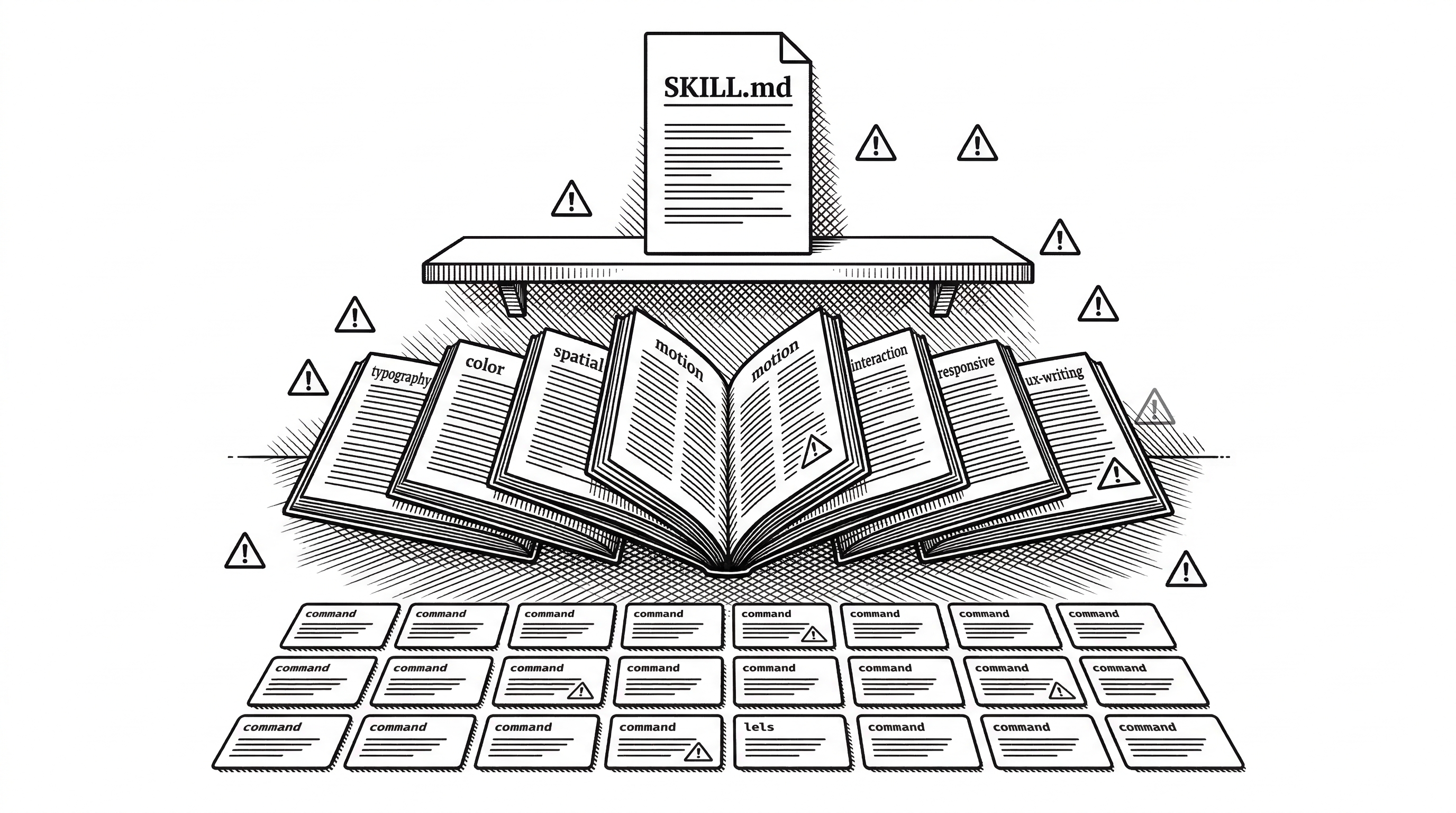
At its core, Impeccable is one skill (frontend-design) with 7 domain-specific reference files, 20 user-invokable commands, and a curated set of anti-patterns. It builds on Anthropic's original frontend-design skill but goes significantly deeper.
The Seven Reference Files
The reference files are where the real depth lives. Each one is a 200-400 line expert guide on a specific design domain. They are not summaries or bullet lists. They contain specific CSS techniques, concrete ratios, named alternatives, and the reasoning behind each recommendation.
Take the typography reference. It does not just say "use good fonts." It explains vertical rhythm as a mathematical system where your line-height becomes the base unit for all vertical spacing. It provides a 5-size modular scale with specific ratios (1.25 for major third, 1.333 for perfect fourth). It names better Google Fonts alternatives to overused defaults: Instrument Sans instead of Inter, Onest instead of Roboto, Fraunces for editorial feel.
The color-and-contrast reference opens with a direct instruction: "Stop using HSL. Use OKLCH instead." It explains perceptual uniformity, shows how chroma must decrease as lightness approaches extremes, and demonstrates tinted neutrals with specific OKLCH values. The 60-30-10 rule gets reframed not as pixel count but as visual weight.
The other five references cover spatial design (grids, rhythm, container queries), motion design (easing curves, staggered reveals, reduced-motion support), interaction design (forms, focus states, progressive disclosure), responsive design (mobile-first, fluid layout, container queries), and UX writing (button labels, error messages, empty states).
| Reference | Key Contribution | Example Guidance |
|---|---|---|
| Typography | Modular scales, font pairing, loading strategies | Use Instrument Sans instead of Inter; commit to a 5-size hierarchy |
| Color & Contrast | OKLCH palettes, tinted neutrals, accessibility | Tint all neutrals toward brand hue at 0.01 chroma |
| Spatial Design | Spacing systems, visual rhythm, grids | Use fluid spacing with clamp(); break the grid intentionally |
| Motion Design | Easing curves, staggering, reduced motion | Use ease-out-quart/expo; never use bounce or elastic easing |
| Interaction | Forms, focus states, loading patterns | Design empty states that teach; use optimistic UI |
| Responsive | Mobile-first, fluid design, container queries | Use @container for component-level responsiveness |
| UX Writing | Labels, errors, empty states | Make every word earn its place; do not repeat visible info |
Anti-Patterns: Teaching What NOT to Do
This is arguably Impeccable's most original contribution. Most AI guidance tells the model what to do. Impeccable spends equal energy telling it what to avoid.
The anti-patterns read like a forensic catalog of AI-generated design. Do not use Inter, Roboto, Arial, or system defaults. Do not place large rounded icons above every heading. Do not use gradient text on metrics or headings. Do not default to dark mode with glowing accents. Do not wrap everything in cards. Do not nest cards inside cards. Do not use identical card grids. Do not center everything.
Each anti-pattern targets a specific bias burned into LLM weights by training data. By naming these patterns explicitly, Impeccable gives the model permission to break free from them. The effect is measurable. Before/after comparisons on the impeccable.style site show the same prompts producing dramatically different results with and without the skill installed.
Twenty Commands for Developers Who Cannot Design
The vocabulary gap is real. A developer who knows they want "better design" often lacks the words to ask for it. Should the spacing be tighter? The hierarchy clearer? The motion more purposeful? Without the right vocabulary, prompts stay vague and results stay generic.
Impeccable's 20 commands solve this by giving developers precise verbs for design operations. Type /audit and the AI runs technical quality checks for accessibility, performance, and responsive behavior. Type /critique and it performs a UX design review examining hierarchy, clarity, and emotional resonance. Type /polish for a final shipping pass. Type /distill to strip a design to its essence.
The commands group into natural workflows. Start with /audit and /critique to understand what needs work. Use /normalize to align with design system standards. Apply /typeset and /arrange for targeted fixes to fonts and layout. Finish with /polish before shipping.
More expressive commands push in specific directions. /bolder amplifies timid designs. /quieter tones down visual noise. /colorize introduces strategic color. /animate adds purposeful motion. /delight creates moments of joy. /overdrive adds technically extraordinary effects for when restraint is not the goal.
Most commands accept an optional argument to focus on a specific area: /audit header or /polish checkout-form. This scoping makes the commands practical for real workflows, not just full-page sweeps.
The Build Pipeline: One Source, Eight Providers
Impeccable supports Cursor, Claude Code, OpenCode, Gemini CLI, Codex CLI, VS Code Copilot, Kiro, and Pi. Each tool has different capabilities. Claude Code supports full YAML frontmatter with args and metadata. Cursor strips frontmatter entirely. Gemini uses its own argument syntax. Codex converts placeholders to uppercase variables.
Rather than limiting all providers to the lowest common denominator, Impeccable maintains rich source files and uses a build system to transform them. The source directory contains the single source of truth: SKILL.md files with full YAML frontmatter and 7 reference files. Running bun run build triggers 8 modular transformers, each one a focused 30-85 line file that handles the mapping for its target provider.
The architecture choice is pragmatic. Cursor's lack of frontmatter support could have forced the project into a minimal format. Instead, the build system preserves full metadata for providers that support it (Claude Code, OpenCode) while generating gracefully degraded versions for those that do not (Cursor). The dist directory is committed to the repository so end users can copy files directly without needing build tools.
The Context Gathering Protocol
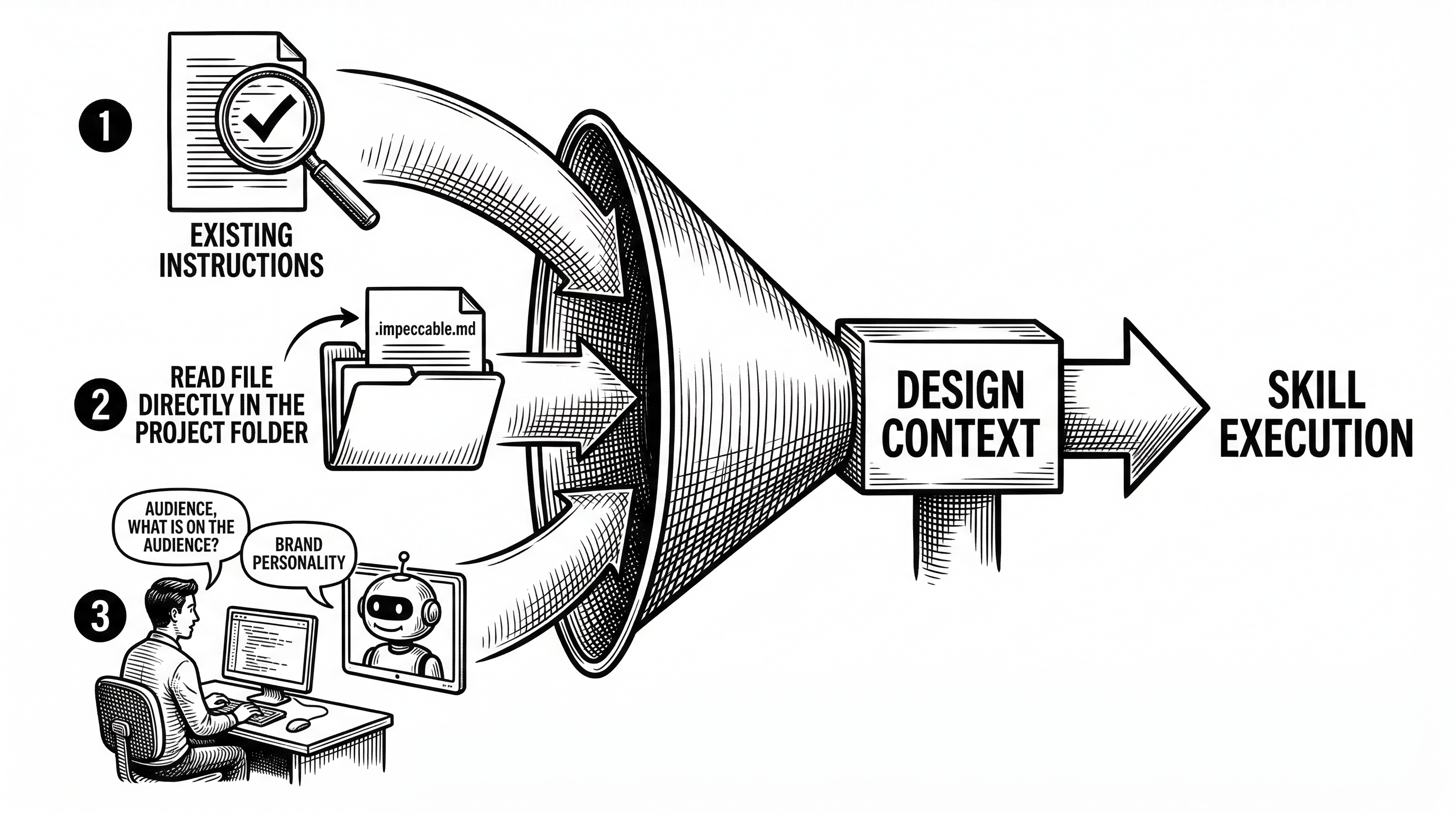
Impeccable enforces a strict rule: no design work without project context. This is not a suggestion. The skill's instructions make it a hard requirement with a specific gathering order.
First, the model checks if loaded instructions already contain a Design Context section. Second, it looks for an .impeccable.md file in the project root. Third, if neither exists, it must run the /teach-impeccable command before doing anything else. That command interviews the developer about their target audience, use cases, and brand personality.
This protocol addresses a subtle problem. Code tells you what was built, not who it is for or what it should feel like. An AI reading your codebase can infer your tech stack and component patterns, but it cannot infer that your audience is elderly users who need larger touch targets, or that your brand personality is "professional but warm." Without this context, even perfect design principles produce generic output.
The Agent Skills Standard
Impeccable is built on the Agent Skills specification, an open standard published by Anthropic at agentskills.io and adopted by Microsoft, OpenAI, Cursor, GitHub, and others. The standard defines a portable format for giving AI agents new capabilities through folders of instructions and resources.
This matters for Impeccable's longevity. Because the skill format is an open standard rather than a proprietary format, Impeccable is not locked to any single AI tool. When a new coding assistant appears, adding support means writing one more transformer file. The core design knowledge stays the same.
The specification requires a SKILL.md file with YAML frontmatter describing the skill's capabilities. Progressive disclosure ensures only relevant references load into context, preventing context window overload. Impeccable's 7 reference files total thousands of lines, but a model only loads the ones it needs for the current task.
How It Compares
Anthropic's original frontend-design skill laid the foundation. It provides basic design guidance for Claude. Impeccable acknowledges this debt explicitly in its license and builds on top of it.
The difference is depth and breadth. Anthropic's skill is a single file with general guidance. Impeccable adds 7 specialized reference documents, 20 actionable commands, curated anti-patterns, the context gathering protocol, and cross-provider support. It is the difference between a style guide and a design education.
| Aspect | Anthropic frontend-design | Impeccable |
|---|---|---|
| Scope | Single skill file | 1 skill + 7 references + 20 commands |
| Anti-patterns | Minimal | Comprehensive catalog of AI design biases |
| Provider support | Claude Code only | 8 providers (Cursor, Claude Code, Gemini, Codex, VS Code, OpenCode, Kiro, Pi) |
| Context gathering | None | Mandatory 3-step protocol with /teach-impeccable |
| Domain depth | General guidance | 200-400 lines per domain with specific CSS, ratios, and named alternatives |
| Commands | None | 20 commands: audit, critique, polish, distill, animate, bolder, quieter, and more |
| Installation | Manual copy | npx skills add, ZIP download, or manual copy |
Outside the skill ecosystem, the closest analogs are design systems like Tailwind CSS or Shadcn. But those operate at a different layer. They give you styled components. Impeccable gives your AI tool the judgment to use any component library well. The two approaches are complementary, not competing.
The Website: impeccable.style
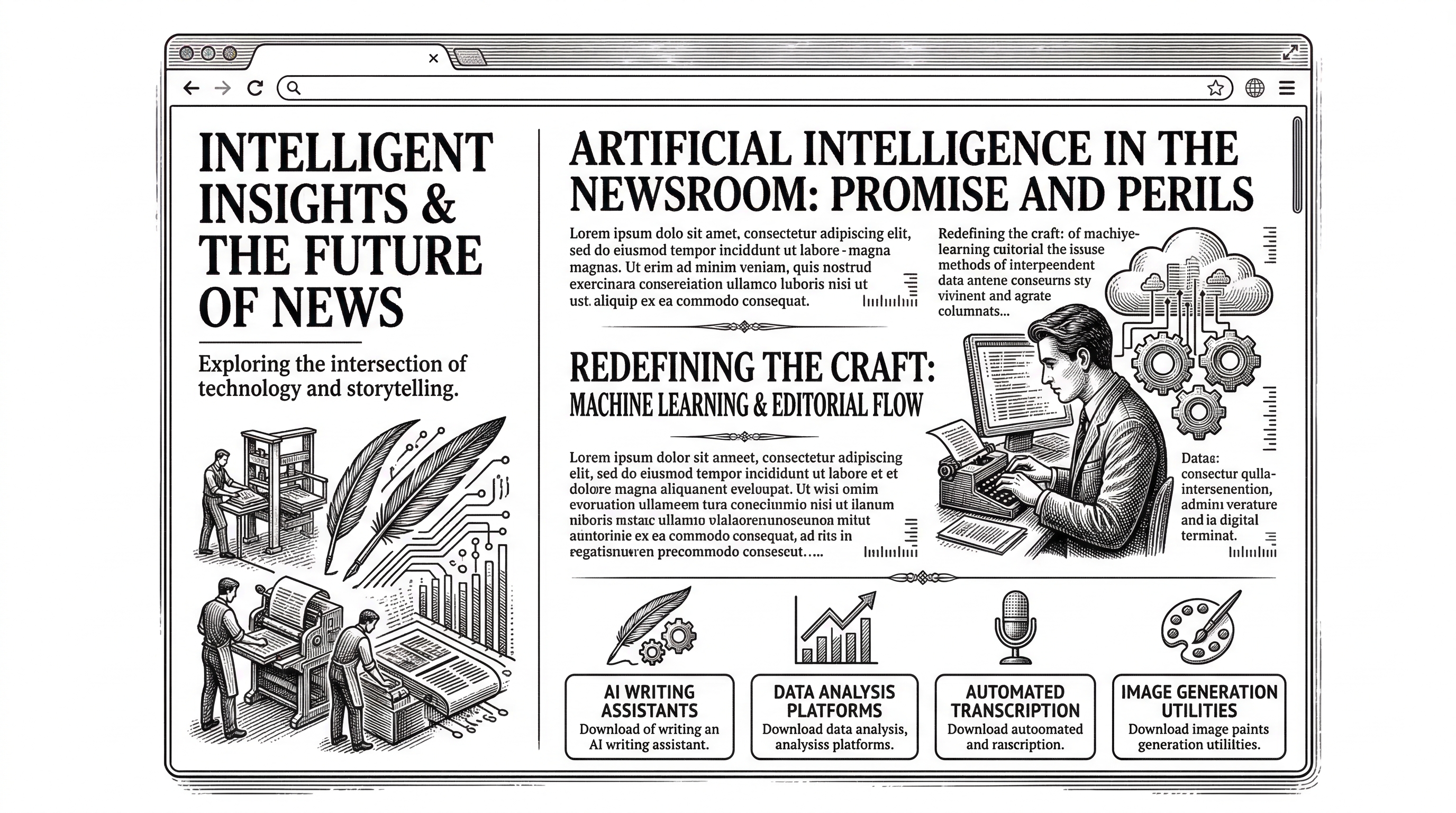
The project ships with a full website at impeccable.style built with vanilla JavaScript, modern CSS using Bun's bundler, and deployed on Vercel. The site itself demonstrates Impeccable's design principles: Cormorant Garamond paired with Instrument Sans, OKLCH color space, editorial sidebar layout, modular CSS architecture across 9 files.
The website serves as both documentation and proof of concept. Before/after case studies show real projects transformed with Impeccable commands. The download flow auto-detects your AI tool and delivers the right bundle. API endpoints serve skill and command metadata as JSON.
The dual-server architecture is clean. A Bun server handles local development while Vercel Functions handle production, with shared API handlers eliminating code duplication between the two environments.
Installation and Getting Started
The fastest path is the universal installer:
npx skills add pbakaus/impeccableThis auto-detects your AI tool and places files in the right directory. For manual installation, download a ZIP from impeccable.style or copy directly from the repository's dist folder.
For Claude Code, the files land in .claude/skills/frontend-design/. For Cursor, in .cursor/skills/frontend-design/. Each provider gets its native format. Once installed, start with /teach-impeccable to establish your project's design context, then use commands like /audit and /polish as part of your workflow.
# Claude Code: project-specific
cp -r dist/claude-code/.claude your-project/

# Or global (applies to all projects)
cp -r dist/claude-code/.claude/* ~/.claude/
What to Watch
Impeccable hit 10,000 stars within weeks of launch. The project is actively maintained at version 1.5.1 with regular updates to both the design knowledge and the build system. The provider ecosystem keeps expanding as new AI coding tools adopt the Agent Skills standard.
The deeper question is whether vocabulary-layer approaches like Impeccable will become a standard part of the AI-assisted development stack. If the answer is yes, Impeccable has a significant head start: the most comprehensive design skill available, cross-provider support, an active creator with deep web platform expertise, and a growing community of contributors.
The AI slop problem is not going away on its own. As more developers use AI tools for frontend work, the pressure to differentiate will only increase. Impeccable bets that the solution is not better models but better instructions. So far, 10,000 stars suggest that bet is paying off.