Lightpanda: The Headless Browser That Threw Away the Screen
Written from scratch in Zig, Lightpanda strips the entire graphical rendering stack from the browser and delivers 11x faster automation at 9x less memory. No Chromium fork. No WebKit patch. A clean-sheet design for machines.
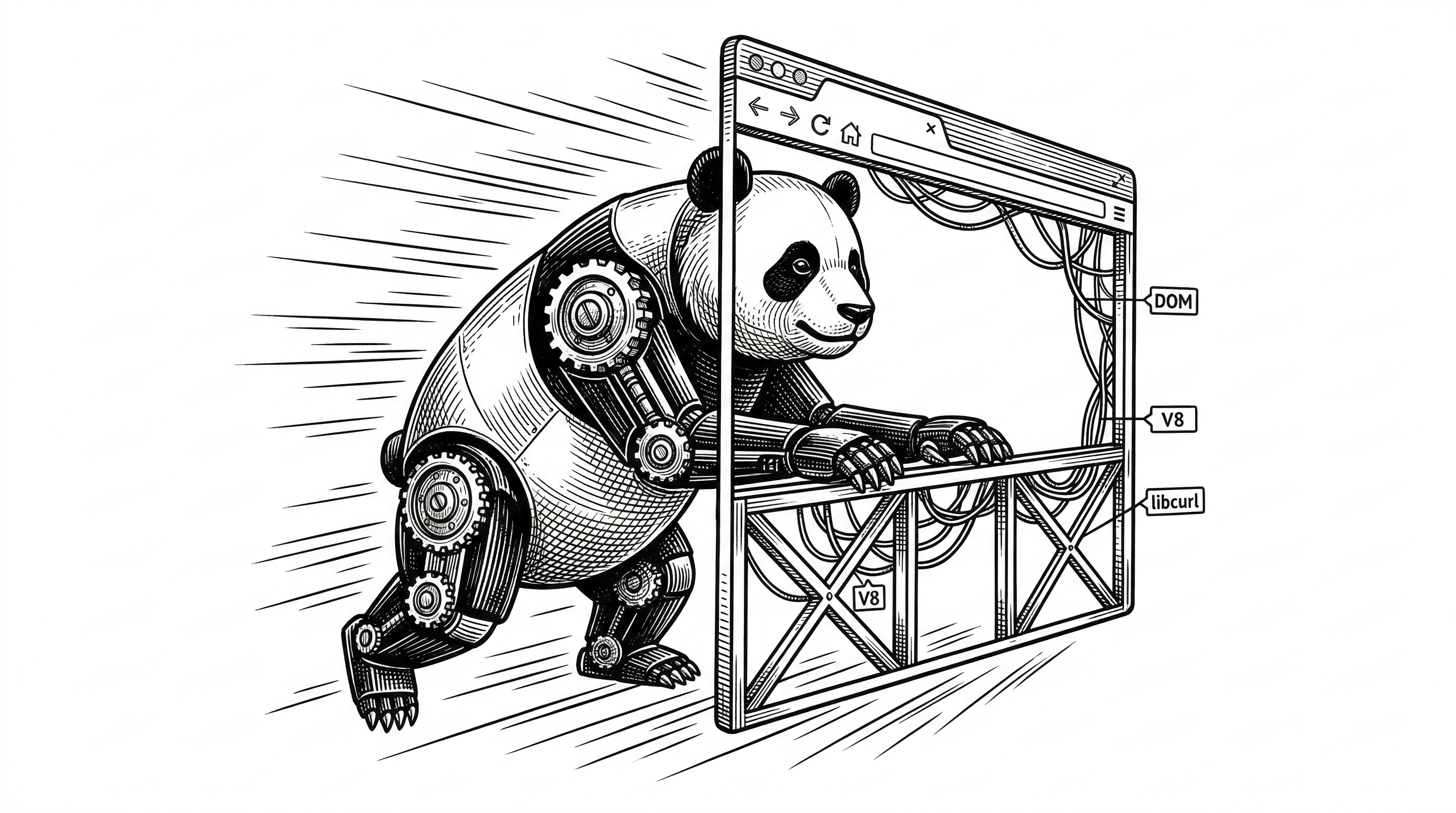
- Lightpanda is a ground-up headless browser written in Zig that skips CSS rendering, image loading, layout, and GPU compositing to achieve 11x faster execution and 9x lower memory than headless Chrome.
- By implementing the Chrome DevTools Protocol, it works as a near drop-in replacement for Puppeteer and Playwright scripts with minimal code changes.
- The architecture combines four focused components (libcurl, html5ever, V8, Zig DOM) instead of the millions of lines in Chromium, and adds a native MCP server for direct AI agent integration.
- Backed by investors including the founders of Mistral and Hugging Face, the Paris-based team is betting that the next wave of browser usage is machine-first, not human-first.
The 15% Tax on Headless Chrome
The founders of Lightpanda know the pain firsthand. At their previous company, BlueBoard, they crawled over 20 million pages daily using a massive fleet of headless Chrome instances orchestrated across dozens of servers. Despite all that hardware, they faced constant memory leaks, brittle page loads, and frequent crashes.
Browser maintenance consumed 15% of their annual revenue. Not the crawling logic. Not the data pipeline. Just keeping Chrome alive and stable at scale.
The root cause was obvious once you stepped back to think about it. Headless Chrome is a full desktop browser with the display turned off. It still calculates CSS layouts. It still decodes images. It still runs the GPU compositing pipeline. All for output that no human will ever see.
"I chose Zig because I'm not smart enough to build a big project in C++ or Rust."
Francis Bouvier and his co-founders decided that anything less than a 10x performance improvement would not justify the complexity of building a new browser from scratch. They hit 11x. Then they kept going.
What Gets Thrown Away
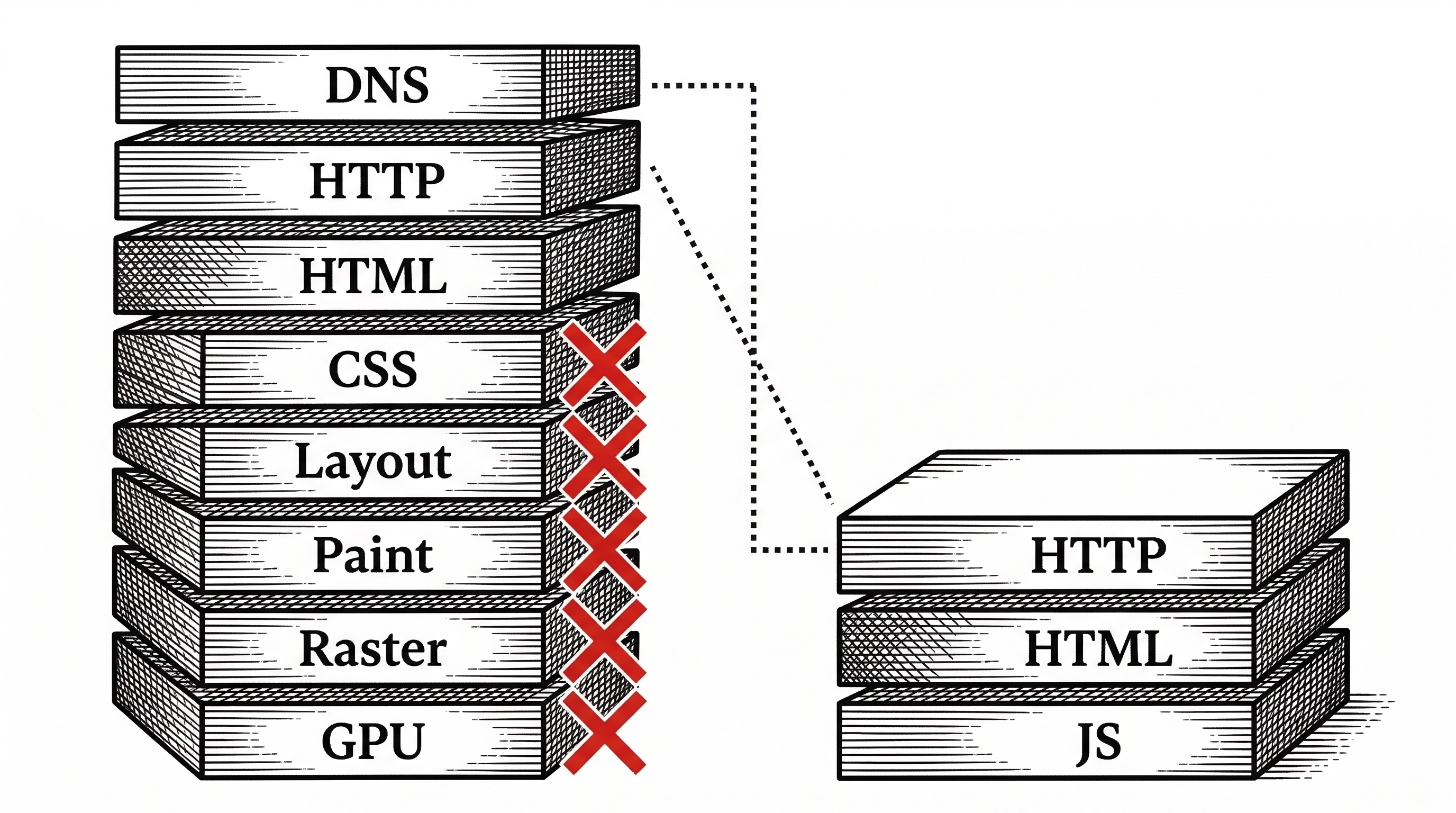
To understand Lightpanda, start with what it does not do. A traditional browser processes a web page through roughly eight major stages: DNS resolution, HTTP fetch, HTML parsing, CSS parsing, style calculation, layout, paint, and compositing. Only the first three matter for automation.
Lightpanda keeps the fetch, parse, and execute stages. It throws away everything after that. No CSS engine. No layout tree. No paint operations. No rasterization. No GPU compositing. No image decoding.
The result is a binary that starts in under 100 milliseconds and uses roughly 24MB of memory to process 100 pages. Headless Chrome needs 207MB for the same workload.
Four Components, Zero Bloat
Instead of forking Chromium's 35 million lines of code, Lightpanda assembles four focused libraries into a tight pipeline. Each one does exactly one job.
libcurl handles all HTTP networking. Connection pooling, TLS, redirects, proxy support. Battle-tested and universally trusted.
html5ever parses HTML into a DOM tree. This is Mozilla's Servo parser, written in Rust, and one of the most spec-compliant HTML parsers available. Zig calls into it directly thanks to its zero-overhead C interop, no FFI wrappers needed.
V8 executes JavaScript. The same engine that powers Chrome and Node.js. Lightpanda integrates it through rusty_v8's C API, with Zig's comptime metaprogramming generating the bindings automatically at compile time.
Zig DOM is their custom DOM implementation. After six months of prototyping with LibDOM, the team replaced it with their own. The Zig-native DOM gives them full control over memory layout, event dispatch, and API surface.
Why Zig and Not Rust
The language choice is one of the most interesting parts of the project. Zig is pre-1.0, breaking changes ship between versions, and the ecosystem is tiny compared to Rust. Why pick it for something as ambitious as a browser?
Bouvier's answer is pragmatic. A browser's DOM is a deeply interconnected graph of nodes, events, and references. Rust's borrow checker fights this structure at every turn. You end up either paying performance costs by using indices instead of pointers, or writing so much unsafe that the borrow checker becomes theater.
Zig takes a different approach. You get explicit allocator control (every allocation says where memory comes from), non-null pointers by default, and a GeneralPurposeAllocator that catches use-after-free in debug mode. The tradeoff is that you own more responsibility. But for a small team building a browser, that felt like the right deal.

The comptime system also proved essential. Lightpanda needs to expose hundreds of Web APIs to JavaScript through V8. In C++ or Rust, this means writing boilerplate bindings for each one. In Zig, comptime metaprogramming generates all V8 bindings at compile time from type declarations alone. Add a new Web API in Zig, and the JavaScript binding appears automatically.
Build times matter too. A full rebuild takes under one minute. The team reports that Zig compiles significantly faster than both Rust and C++ for comparable codebases.
CDP: The Compatibility Bridge
Raw speed means nothing if you cannot plug Lightpanda into existing workflows. That is where the Chrome DevTools Protocol comes in.
Lightpanda implements a CDP server that speaks the same WebSocket protocol as Chrome. When you point Puppeteer or Playwright at ws://127.0.0.1:9222, they connect to Lightpanda instead of Chrome. Your existing scripts keep working.
import puppeteer from 'puppeteer-core';

// Point to Lightpanda instead of Chrome. That is it.
const browser = await puppeteer.connect({
  browserWSEndpoint: "ws://127.0.0.1:9222",
});

const page = await (await browser.createBrowserContext()).newPage();
await page.goto('https://example.com', { waitUntil: "networkidle0" });

const links = await page.evaluate(() =>
  Array.from(document.querySelectorAll('a')).map(a => a.href)
);
console.log(links);
The migration path is typically three lines of code: swap the browser launch for a connect call and change the endpoint URL. Everything downstream stays the same.
There is a caveat with Playwright specifically. Playwright uses an intermediate JavaScript layer that chooses execution strategies based on available browser features. As Lightpanda adds new Web APIs, Playwright may choose different code paths that rely on features not yet implemented. The team tracks compatibility but cannot cover every scenario.
The AI Agent Play
Speed and memory savings matter for traditional scraping and testing. But the real bet is on AI agents.
An AI agent that browses the web needs to spin up browser instances constantly, extract page content, interact with forms, and move on. On an AWS m5.large instance with 8GB of RAM, you can run 140 concurrent Lightpanda instances versus 15 for Chrome. That is the difference between a useful agent and an expensive toy.
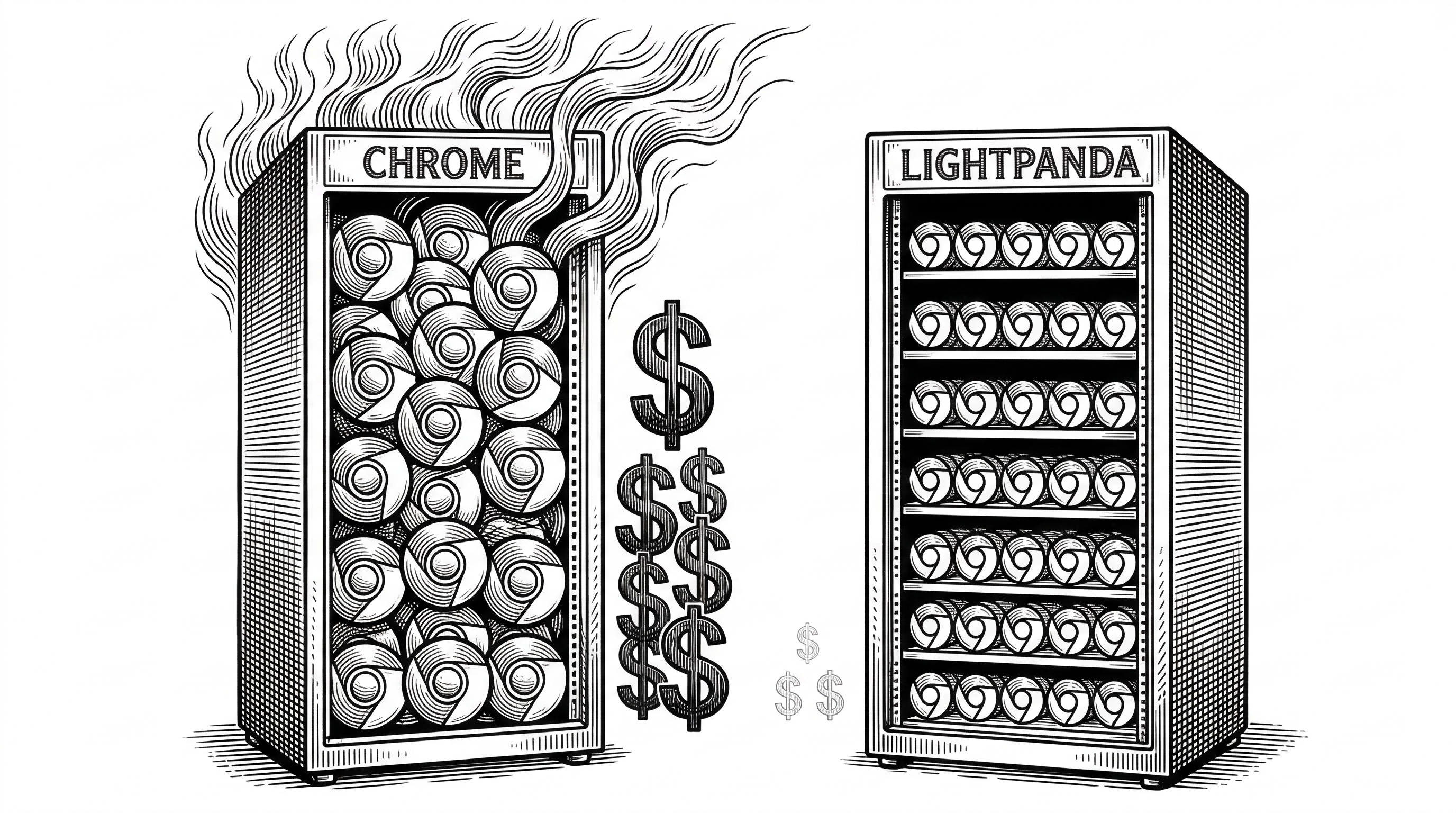
Instant startup matters here too. Serverless functions and CI/CD pipelines penalize cold starts. Chrome takes seconds to initialize. Lightpanda starts in under 100 milliseconds.
The team has also built native MCP (Model Context Protocol) support directly into the browser. The src/mcp module exposes tools that let AI agents interact with web pages through structured accessibility snapshots rather than raw HTML. No vision model required. The companion gomcp project provides a standalone MCP server written in Go that wraps Lightpanda's CDP interface for LLM frameworks.
The Competitive Landscape
Lightpanda is not the only team trying to fix headless browsing. But the approaches differ sharply.
| Tool | Approach | Speed | Memory | JS Support | AI-Native Features |
|---|---|---|---|---|---|
| Headless Chrome | Full browser, display off | Baseline | ~207MB / 100pg | Full | None |
| Playwright | Automation layer on Chrome/FF/WK | ~1x | ~200MB+ | Full | None |
| Lightpanda | Custom browser, no rendering | 11x | ~24MB / 100pg | Partial (growing) | MCP, structured output |
| httpx / requests | HTTP client only | Fast | Minimal | None | None |
| Splash (Scrapinghub) | Lightweight WebKit | ~2-3x | Moderate | Partial | None |
The key gap in Lightpanda's current offering is Web API coverage. Headless Chrome supports the full web platform. Lightpanda supports a growing subset: DOM APIs, XHR, Fetch, cookies, form input, click events, network interception, and proxy support. Many websites work today, but complex single-page applications may hit unsupported APIs.
The team is transparent about this. The README lists implemented features with checkboxes and links to the dedicated zig-js-runtime project for JavaScript engine progress tracking.
How the Pieces Fit Together
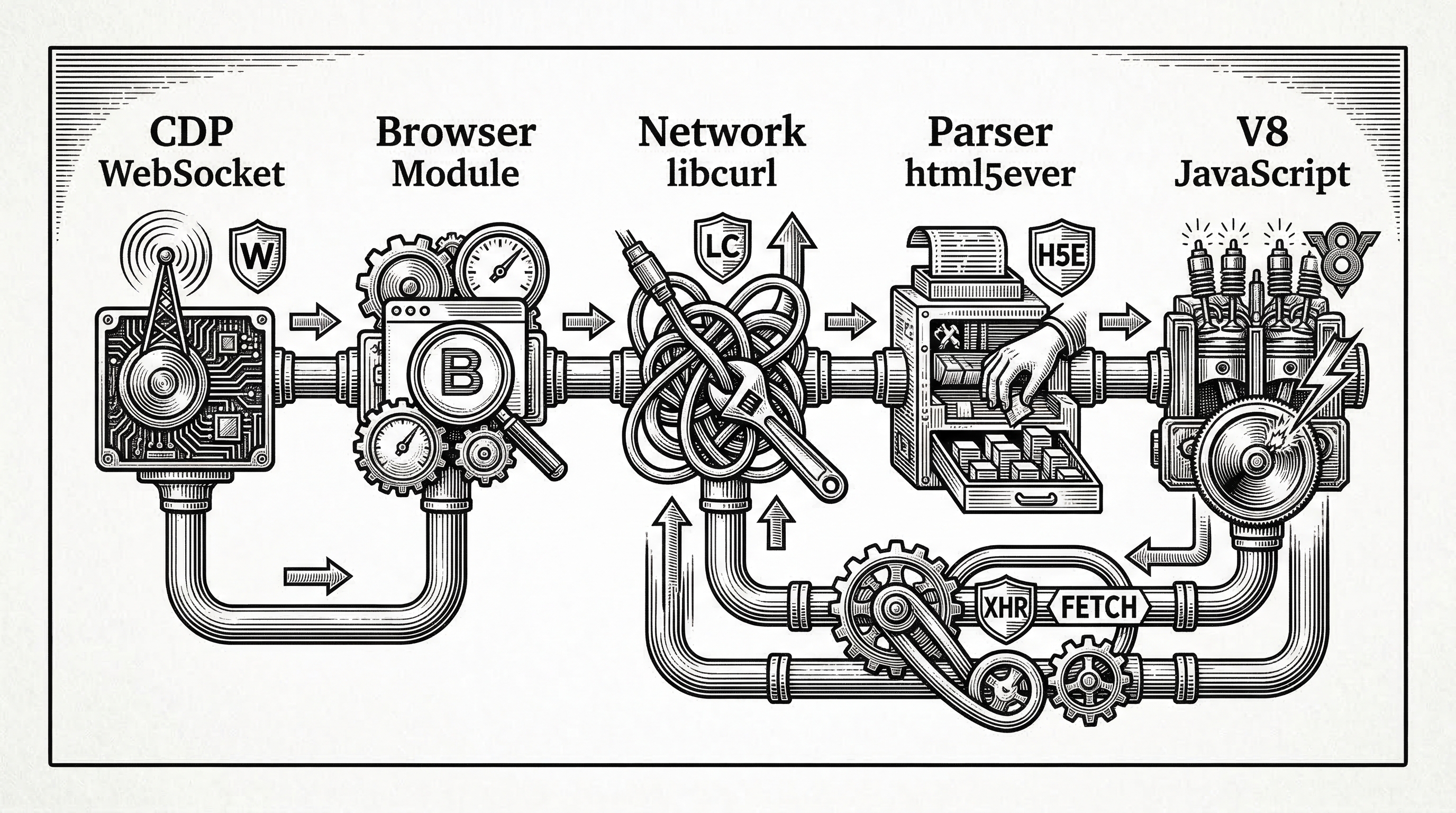
Walking through a typical request makes the architecture concrete. You start the Lightpanda CDP server on port 9222. A Puppeteer script connects over WebSocket and calls page.goto().
The CDP module (src/cdp/) receives the navigation command and hands it to the browser module (src/browser/). The browser dispatches an HTTP request through libcurl via the network module (src/network/). When the HTML response arrives, html5ever parses it into tokens, and the Zig DOM constructs the tree.
If the page contains <script> tags, V8 executes them against the DOM. XHR and Fetch calls from JavaScript route back through libcurl. The CDP server reports results back to Puppeteer over the WebSocket.
The entire round trip for a simple page takes single-digit milliseconds. No layout pass. No style recalculation. No paint. Just fetch, parse, execute, respond.
The Business Behind the Browser
Lightpanda was founded in 2022 and is headquartered in Paris. The company raised a pre-seed round led by ISAI, with angel participation from the founders of Mistral, Hugging Face, and Dust. Factorial Capital, Kima Ventures, and Agoranov also invested. That investor list reads like a who's who of the European AI ecosystem.
The team is small, roughly seven people. The license is AGPLv3, which means the source stays open but commercial use in proprietary products requires a separate license. The lightpanda.io website hints at a managed cloud offering as the eventual business model.
The Docker image is already available on Docker Hub, and nightly builds ship for Linux x86_64 and macOS aarch64. The path from open-source tool to hosted service follows a familiar playbook in infrastructure software.
What the robots.txt Flag Tells You
One small feature reveals a lot about the team's thinking. Lightpanda ships with a --obey_robots flag that makes the browser respect robots.txt directives by default.
This is unusual for a headless browser. Chrome does not check robots.txt. Neither does Playwright or Puppeteer. By building this into the core binary, Lightpanda signals that it wants to be the responsible choice for web automation, not just the fast one.
For AI agent builders who need to scrape at scale without getting blocked or causing legal headaches, this default matters more than another benchmark number.
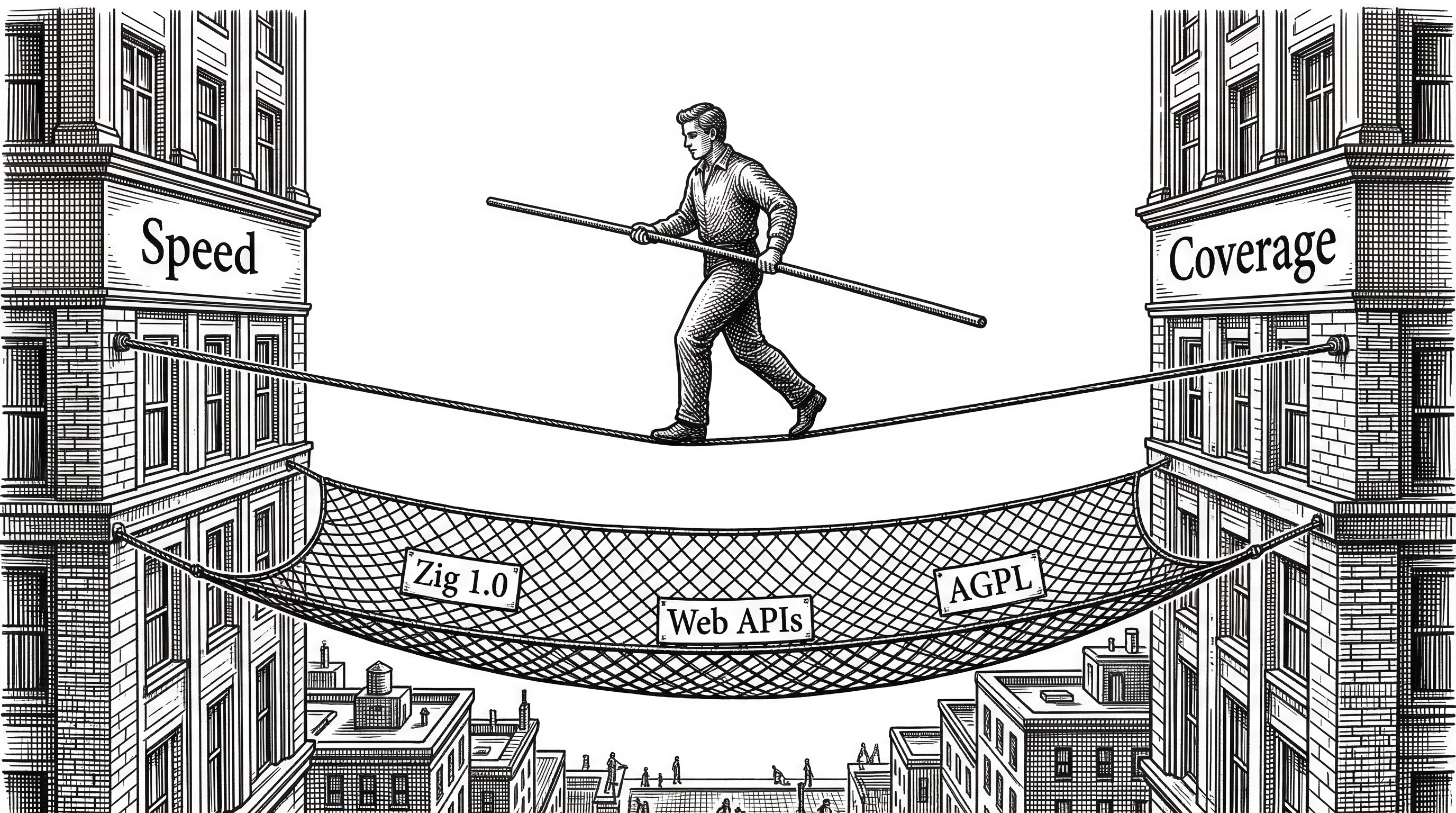
The Risks Worth Watching
Lightpanda is a bold bet, and bold bets come with real risks.
Web API coverage is the existential question. The web platform has hundreds of APIs. Every missing one is a website that does not work. The Playwright compatibility caveat in the README is honest but sobering: adding a new API can break existing scripts by changing Playwright's code path selection.
Zig itself is a risk. The language is pre-1.0 and ships breaking changes between versions. The Lightpanda build currently requires Zig 0.15.2 exactly. If the Zig project stalls or fragments, Lightpanda carries that weight.
The AGPLv3 license limits commercial adoption. Companies building proprietary scraping or testing products will need a commercial license. That is the business model, but it also narrows the community compared to MIT or Apache-licensed alternatives.
Where This Goes
The trajectory is clear if you follow the commits. The src/mcp/ directory, the --obey_robots flag, the structured accessibility snapshots. Lightpanda is not just building a faster headless Chrome. It is building the browser that AI agents deserve.
The managed cloud version is the logical next step. Run Lightpanda instances on-demand, pay per page, integrate with your agent framework through MCP or CDP. The 9x memory advantage translates directly into lower hosting costs that they can pass through or capture as margin.
One company reportedly moved from 20 servers running Chrome at $10,200 per month to 2 servers running Lightpanda at $1,800 per month. That is an 82% cost reduction for identical throughput. When the infrastructure savings are that dramatic, adoption follows even if Web API coverage is incomplete.
The browser was invented for humans. Lightpanda is the first serious attempt to reinvent it for machines. Whether they close the API coverage gap fast enough to catch the AI agent wave is the bet. The performance numbers say the foundation is right.