PageAgent Puts an AI Copilot Inside Every Web Page
Alibaba's open-source JavaScript library lets any LLM control a web interface through natural language. No server, no Python, no headless browser. Just a script tag.
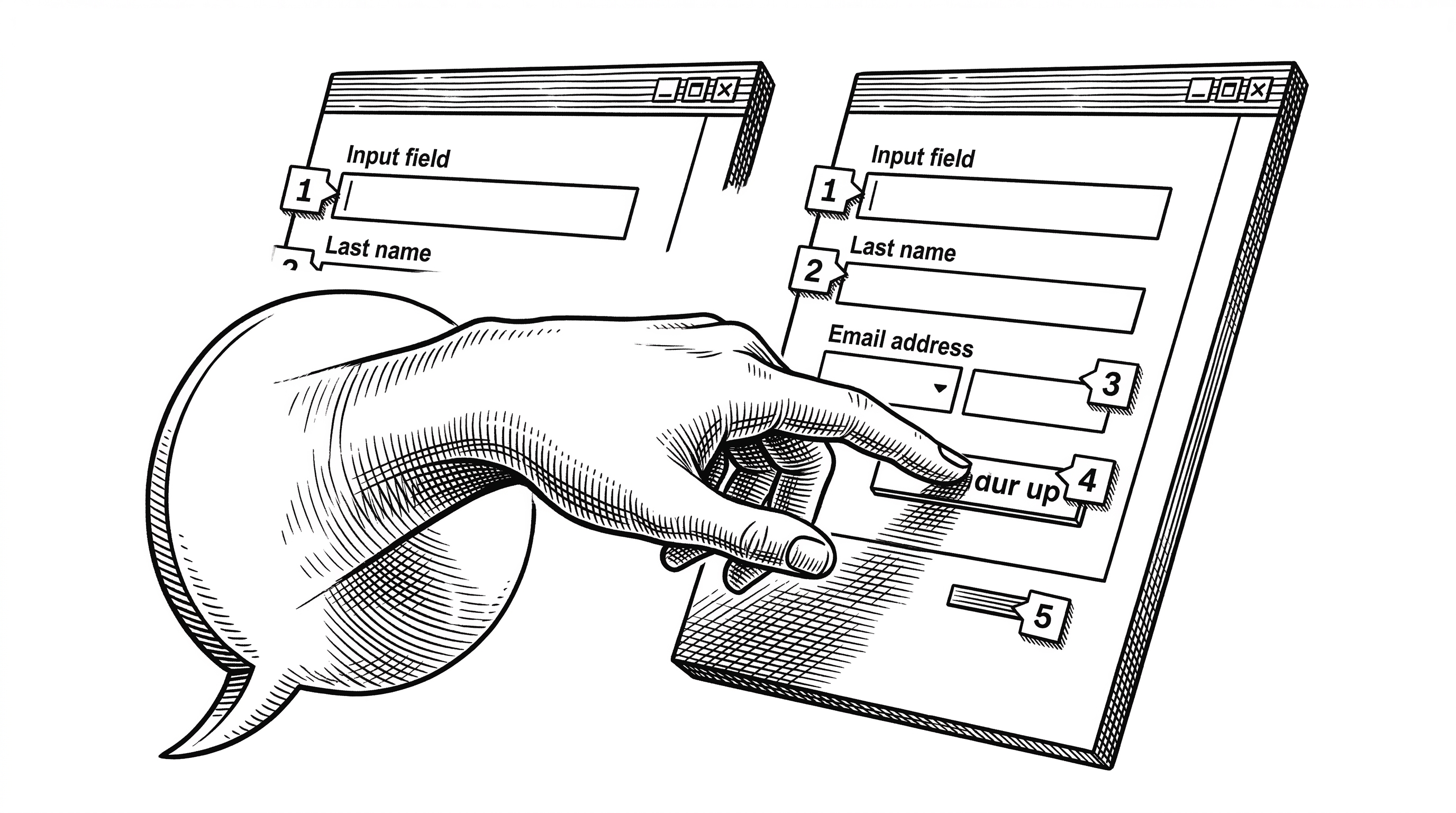
- PageAgent is a client-side JavaScript library that turns any web page into an AI-controllable interface using text-based DOM manipulation instead of screenshots or multi-modal models.
- The monorepo architecture cleanly separates the agent loop, LLM client, DOM controller, and UI into independent packages, making it possible to use the headless core without the panel.
- By running entirely in the browser with no server or Python dependency, PageAgent targets a radically different deployment model than server-side automation tools like Browser Use or Stagehand.
- With 10,700+ stars in under six months and backing from Alibaba, PageAgent is positioning itself as the default way to ship an AI copilot inside a SaaS product.
The Problem With Web Automation in 2026
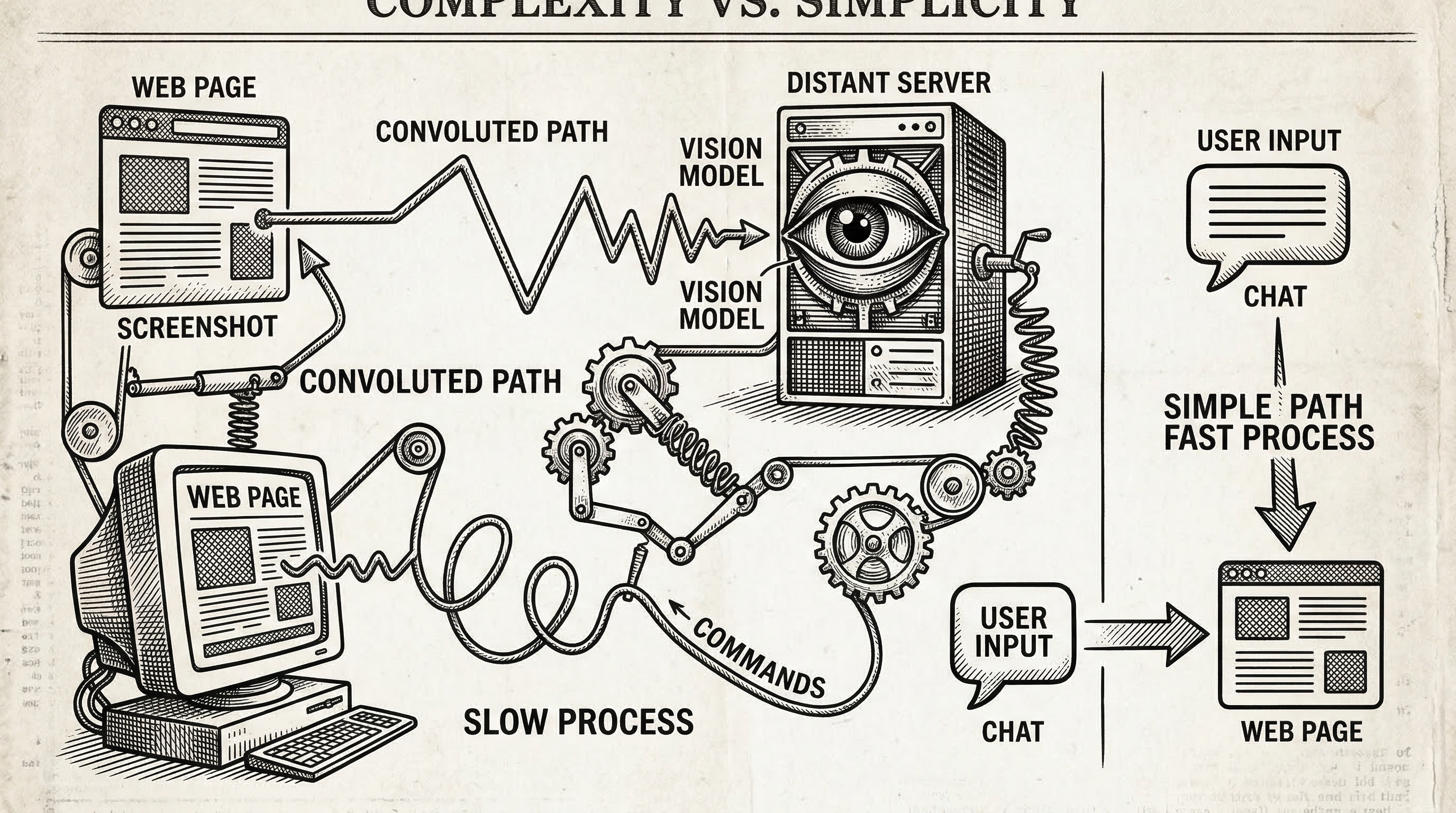
The AI browser automation space has exploded. Browser Use crossed 50,000 stars. Stagehand v3 rewrote itself from scratch. Vercel shipped Agent Browser. Every month brings a new Python framework that spins up a headless Chromium, takes screenshots, and feeds pixels to a vision model.
These tools are powerful. They are also heavy. They run on your server, consume GPU cycles for screenshot interpretation, and require an entirely separate runtime from the web application they control.
For a SaaS company that wants to ship an AI copilot inside its own product, this architecture is backwards. You already have the DOM. You already have the user's browser. Why send screenshots to a server when the structured data is sitting right there in the page?
One Script Tag, Zero Infrastructure
PageAgent's pitch is almost absurdly simple. Add a single script tag to your HTML and you get a fully functional AI agent living inside the page.
<script src="https://cdn.jsdelivr.net/npm/page-agent@1.5.9/dist/iife/page-agent.demo.js" crossorigin="true"></script>That one line loads the agent, renders a chat panel, and connects to a free demo LLM endpoint so you can try it immediately. For production use, you bring your own model:
import { PageAgent } from 'page-agent'

const agent = new PageAgent({
    model: 'qwen3.5-plus',
    baseURL: 'https://dashscope.aliyuncs.com/compatible-mode/v1',
    apiKey: 'YOUR_API_KEY',
    language: 'en-US',
})

await agent.execute('Click the login button')
No Python. No headless browser. No Playwright. No server round-trip. The agent runs in the user's browser, reads the DOM directly, and sends text to any OpenAI-compatible LLM endpoint. It works with Qwen, GPT-4, Claude, Gemini, or a local Ollama instance.
"No need for browser extension / python / headless browser. Just in-page JavaScript. Everything happens in your web page."
Text, Not Pixels
Most AI browser agents take screenshots and feed them to multi-modal vision models. This approach is expensive. Vision tokens cost more. Latency increases. And you need a model that supports image input.
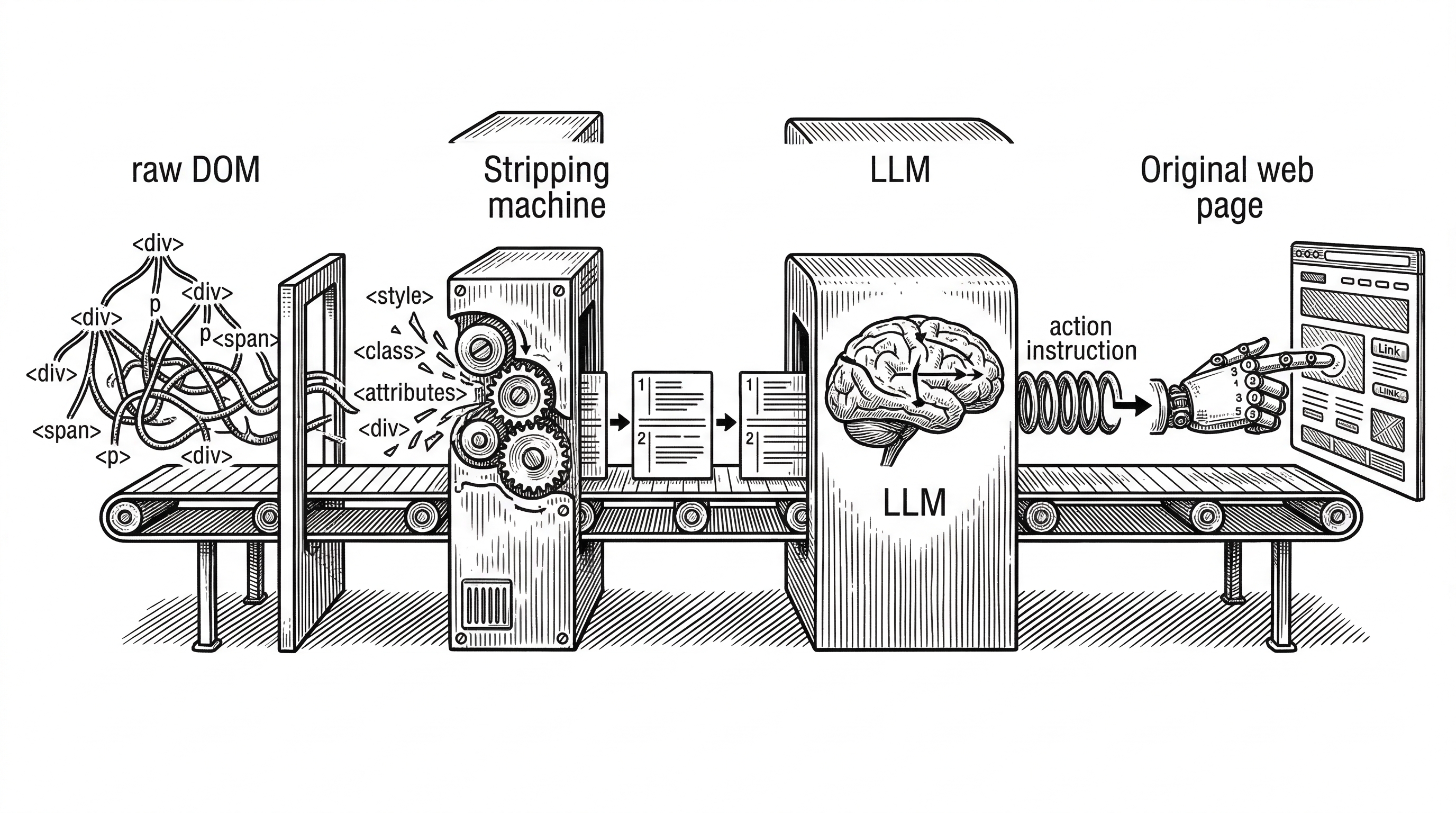
PageAgent takes a completely different path. It reads the live DOM, extracts interactive elements, strips away non-essential markup, and sends a simplified text representation to the LLM. Each interactive element gets a numeric index. The LLM reasons over text and returns an action referencing that index.
This means any text-only LLM can drive the interface. A cheap Qwen 3.5 model works fine. You do not need GPT-4 Vision or Claude with image support. The cost per agent step drops dramatically.
The ReAct Loop Under the Hood
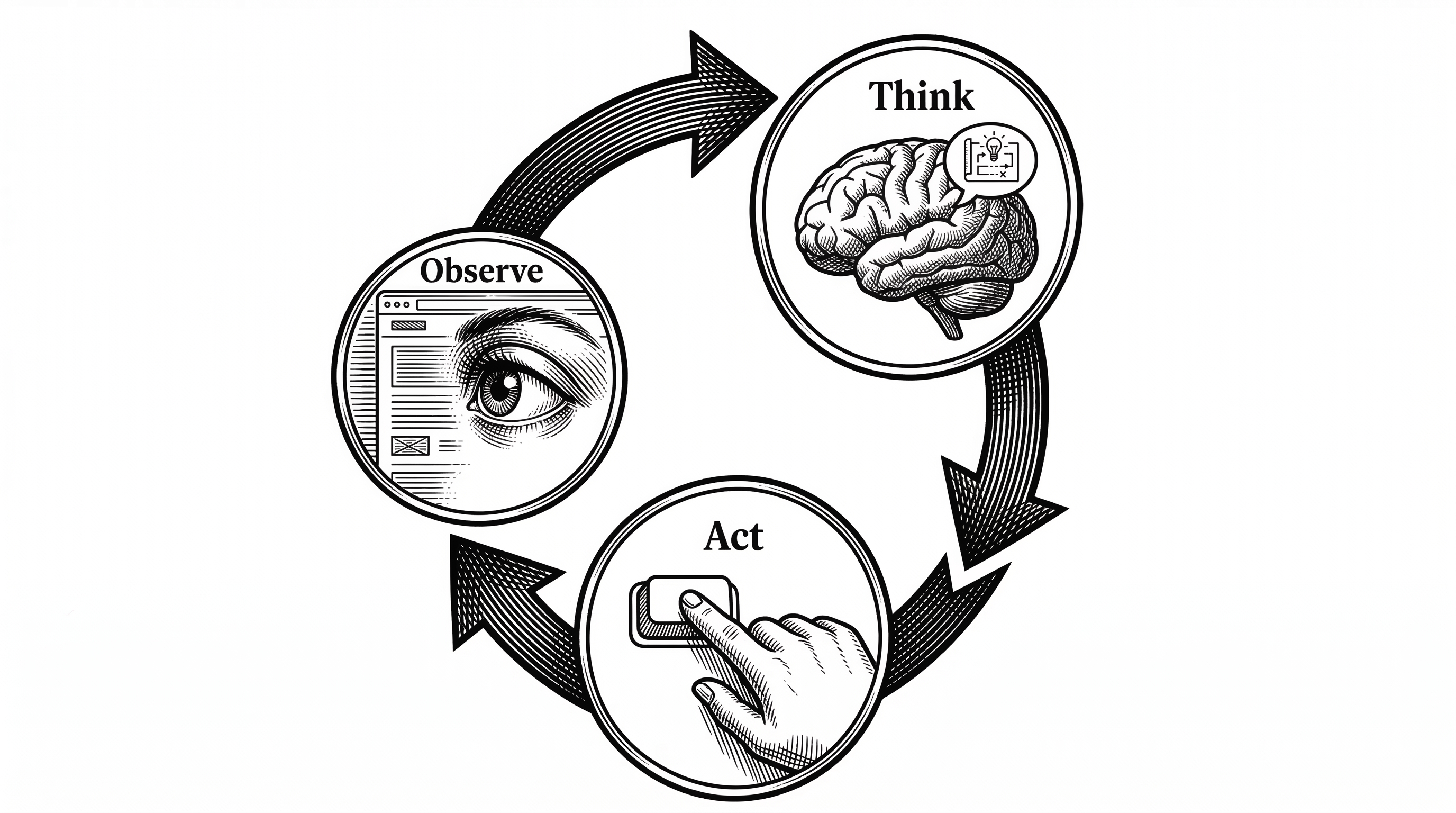
PageAgent implements a classic ReAct (Reason + Act) agent loop. Each step follows a strict sequence: observe the current page state, think by calling the LLM with reflection, then act by executing the chosen tool. The loop repeats until the task completes or hits the maximum step limit (default: 40).
The "think" phase is interesting. The LLM does not just pick an action. It first generates a reflection: an evaluation of what happened in the previous step, what the current state looks like, and what the next goal should be. This reflection-before-action pattern, baked into the @page-agent/llms package, produces more reliable multi-step behavior than raw tool calling.
{
  "reflection": "The form is now visible. I see email and password fields.
                  I need to fill in the email first.",
  "action": {
    "name": "input_text",
    "args": { "index": 14, "text": "user@example.com" }
  }
}
The available tools are straightforward: click_element_by_index, input_text, select_dropdown_option, scroll, scroll_horizontally, execute_javascript, wait, ask_user, and done. No exotic APIs. Just the primitives you need to operate a web interface.
A Clean Monorepo Architecture
The codebase is a well-structured monorepo with eight packages. Understanding the boundaries matters because they reveal the project's real ambitions.
page-agent is the main npm package. It extends the headless core with a built-in UI panel and ships as both an ESM module and an IIFE bundle for CDN usage.
@page-agent/core contains PageAgentCore, the headless agent class. It owns the ReAct loop, tool definitions, system prompt, and history management. No UI dependency.
@page-agent/llms wraps LLM communication. It uses the OpenAI-compatible API format, handles retry logic, tracks token usage, and implements the reflection-before-action mental model. Any provider that speaks the OpenAI protocol works.
@page-agent/page-controller is the DOM engine. It extracts the live DOM into a FlatDomTree, dehydrates it into simplified text, and exposes async methods like clickElement(), inputText(), and scroll(). An optional SimulatorMask provides visual feedback by highlighting elements as the agent interacts with them.
@page-agent/ui renders the chat panel with i18n support. It is decoupled from the agent via a PanelAgentAdapter interface, which means you could swap in a completely different UI without touching the core logic.
Two more packages round out the system: a Chrome extension for multi-page workflows across tabs and an MCP server for integrating with external tools via the Model Context Protocol.
The DOM Pipeline in Detail
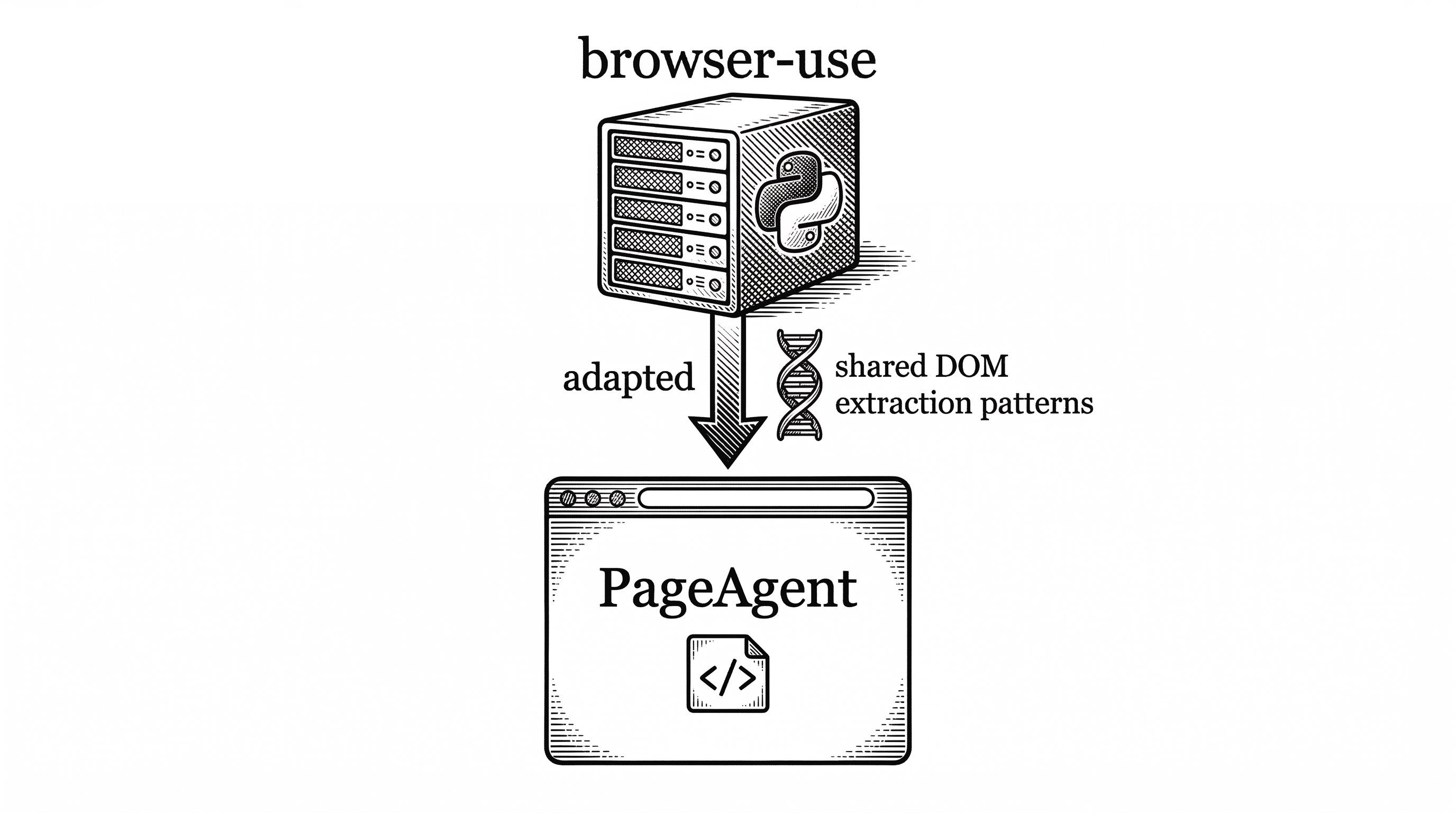
The DOM extraction pipeline, adapted from the browser-use project, is arguably the most technically interesting piece. It works in four stages.
First, extraction. The PageController walks the live DOM and builds a FlatDomTree. This is a flat array representation of the DOM hierarchy that preserves parent-child relationships through index references rather than nesting.
Second, dehydration. The tree is stripped down to only interactive elements: inputs, buttons, links, selects, and anything else a user might click or type into. Each gets a numeric index like [14]. Non-interactive wrapper divs, styling spans, and decorative elements are removed. The output is a compact text string.
Third, LLM processing. The dehydrated DOM text goes into the LLM prompt alongside the system prompt, task description, and agent history. The LLM returns a structured response with both a reflection and an action.
Fourth, execution. The PageController resolves the numeric index back to the original DOM node and fires the appropriate browser event: a real click, a keyboard input, a scroll. The SimulatorMask overlays a visual highlight so the user can see exactly what the agent is doing.
This pipeline is why PageAgent does not need multi-modal models. The DOM already contains all the semantic information a language model needs. Converting it to text is cheaper than converting a screenshot to tokens.
Human in the Loop by Default
PageAgent ships with a chat panel that makes agent actions visible. The user types a natural language command, watches the agent think through each step, sees elements highlight as they are clicked, and gets a final summary when the task completes.
The ask_user tool lets the agent pause and request clarification. If the agent is unsure which dropdown option to select, it can ask. This is not just a safety feature. It makes the agent dramatically more reliable for ambiguous tasks.
The SimulatorMask overlay blocks direct user interaction during automation, preventing conflicts between human and agent clicks. Once the task finishes, control returns to the user seamlessly.
"Pretty UI with human-in-the-loop. Traceability and predictability is more important than success rate."
Use Cases That Make Sense
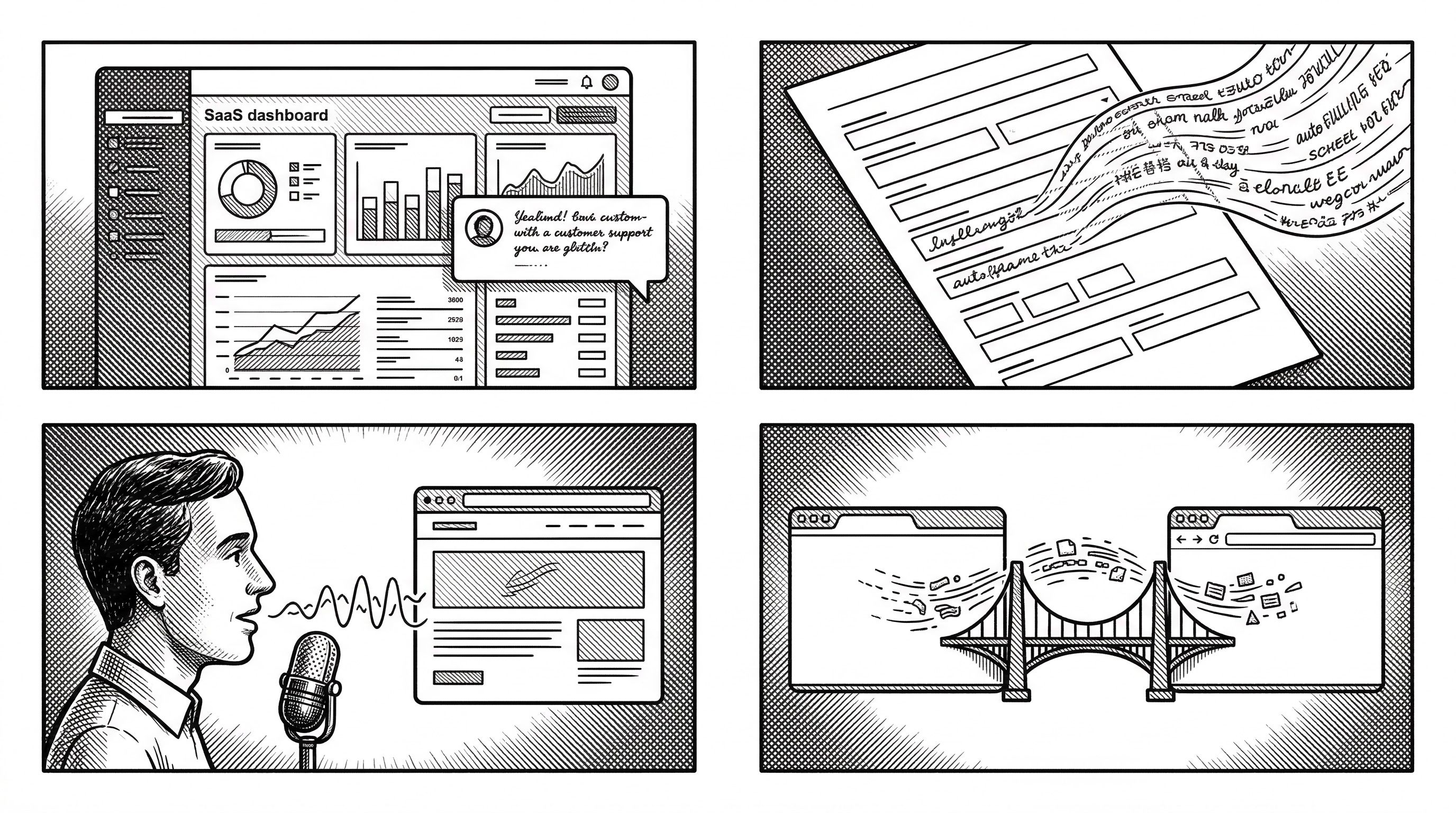
SaaS AI Copilot. The most obvious use case. If you build a CRM, ERP, or admin panel, you can add PageAgent and immediately give users natural language control over your interface. No backend rewrite. No new API endpoints. The agent operates the existing UI.
Smart Form Filling. Enterprise software is full of 20-field forms across multiple tabs. "Fill in the purchase order for Acme Corp with standard terms" becomes a single sentence instead of minutes of clicking. Perfect for repetitive data entry in back-office systems.
Accessibility. Natural language control turns any web app into an accessible interface. Users who struggle with complex UIs can describe what they want in plain words. Voice command integration becomes trivial when the agent already understands natural language.
Multi-page Workflows. With the optional Chrome extension, the agent can work across browser tabs. Open a spreadsheet in one tab, extract data, switch to a CRM in another tab, and fill in the records. This is where the extension package earns its keep.
The Competitive Landscape
PageAgent occupies a unique position. It is not competing directly with Browser Use, Stagehand, or Playwright. Those tools run server-side or as test frameworks. PageAgent runs client-side, inside the page it controls.
| Aspect | PageAgent | Browser Use | Stagehand v3 | Playwright |
|---|---|---|---|---|
| Runtime | Client-side (in-page JS) | Server-side (Python) | Server-side (TypeScript) | Server-side (multi-lang) |
| DOM Access | Text-based extraction | Screenshot + vision | CDP + AI helpers | Deterministic selectors |
| LLM Requirement | Any text LLM | Multi-modal preferred | Text or multi-modal | None (no AI) |
| Server Needed | No | Yes | Yes | Yes |
| Integration | One script tag | pip install + config | npm install + config | npm install + test suite |
| Primary Use | In-product AI copilot | Agent automation | AI-assisted testing | E2E testing |
| GitHub Stars | 10.7k (6 months) | 50k+ (18 months) | 15k+ | 70k+ (4 years) |
The closest conceptual competitor is not a tool but a pattern: the "AI copilot" features shipping inside products like Notion, Linear, and Figma. Those are custom-built for each product. PageAgent offers a generic version that any web app can adopt without writing custom AI integration code.
Lineage and Credit
The project explicitly acknowledges its debt to browser-use. The DOM processing components and prompt design are adapted from that project, which pioneered many of the patterns PageAgent uses.
The key difference is deployment target. Browser-use runs server-side with a headless browser. PageAgent took those same DOM extraction techniques and moved them into the client. It is a case of an idea being transplanted into a fundamentally different environment where it gains new properties: zero infrastructure, direct DOM access, and instant deployment via CDN.
The creator, Simon (gaomeng1900) at Alibaba, has been actively developing the project since September 2025. The Hacker News launch in early March 2026 generated 77 points and 37 comments, with discussion focusing on security implications of in-browser agents and the practicality of text-based DOM manipulation.
What to Watch
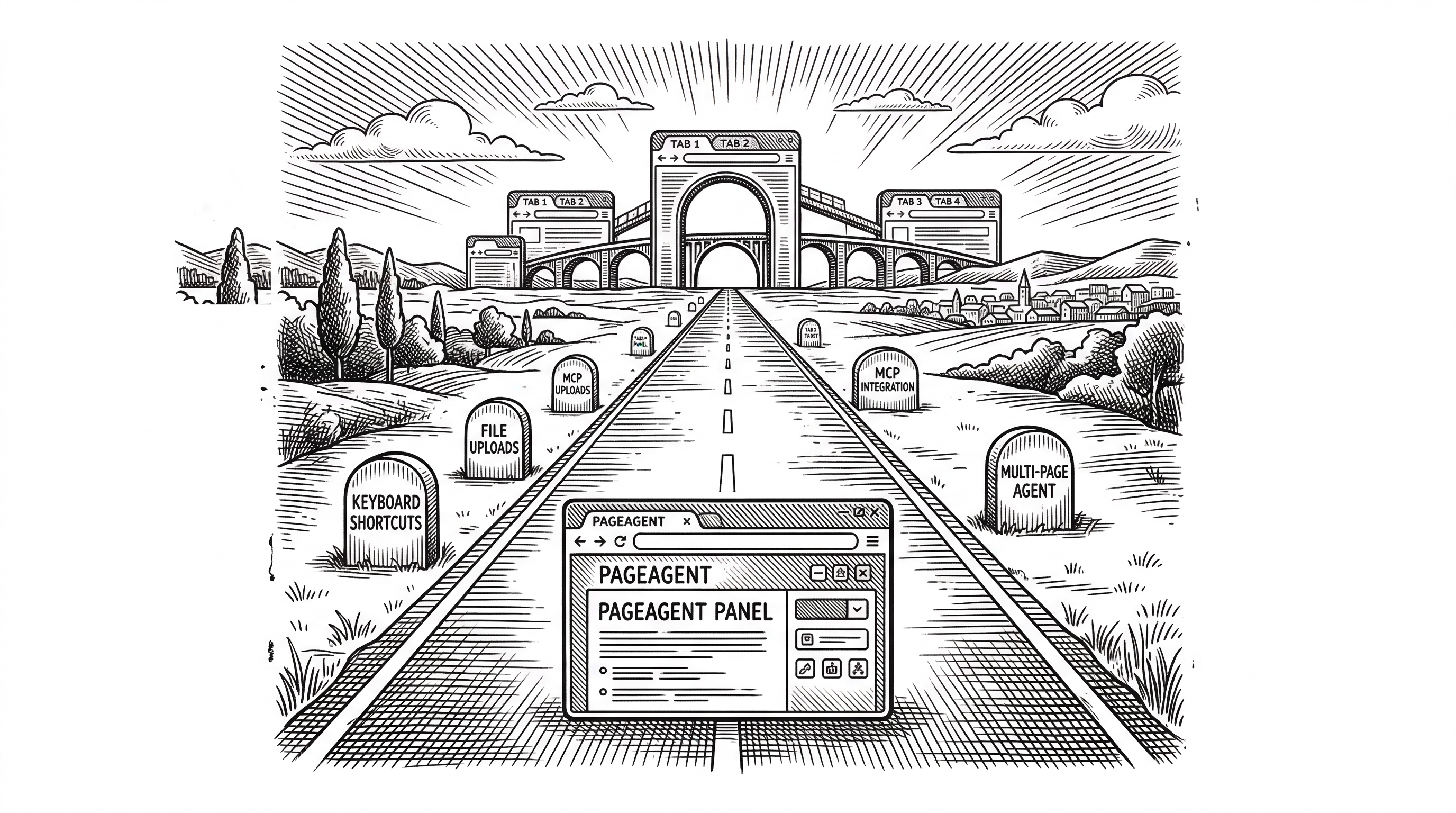
Several features are marked as TODO in the codebase: send_keys for keyboard shortcuts, upload_file for file inputs, go_back for navigation, and extract_structured_data for pulling information from tables. These additions will expand what the agent can handle.
The MCP server package signals ambition beyond simple page automation. Model Context Protocol integration would let external agents delegate UI tasks to PageAgent, turning it into a browser-action service within a larger agent ecosystem.
Security is the elephant in the room. Running an AI agent with JavaScript execution capabilities inside a user's browser creates real risks. The execute_javascript tool, while powerful, could be exploited through prompt injection if the agent processes untrusted content. The project's own AGENTS.md states that "traceability and predictability is more important than success rate," which is the right principle, but the implementation will need to harden significantly for enterprise adoption.
The Chrome extension for multi-page workflows is still marked as work-in-progress. When it matures, it will bridge the gap between PageAgent's single-page strength and the cross-site automation that server-side tools handle today.
Bottom Line
PageAgent bets that the future of AI web automation is not another heavyweight server-side framework. It bets that the DOM itself, converted to indexed text, is all an LLM needs to control an interface. And it bets that the fastest path to shipping an AI copilot is a single script tag, not a Python backend.
At 10,700 stars in six months with an 800-line core that cleanly separates concerns, the bet is working. If you build a web application and want to add natural language control, PageAgent is currently the shortest path from zero to working copilot.
The question is whether text-based DOM manipulation scales to truly complex interfaces, or whether the screenshot-based approaches will prove necessary for visual reasoning. For now, the answer seems to be that text works surprisingly well for the 80% of tasks that involve forms, buttons, and standard controls. The other 20% remains an open challenge.